
If you’ve used an iPhone for long enough, you’ve undoubtedly run into that familiar problem: too many photos, too many videos, and not enough space. Welcome to the club!
Cleaner Kit: Clean Up Storage is one of the most popular solutions for decluttering your media files on the App Store, boasting over 64 million users and a 4.4-star average rating.
It has a reputation for being one of the more feature-rich storage cleaners out there, but is it still the right choice in 2025, especially for people with massive photo libraries? As a content creator, I need a magic tool, and my standards are high. I tested the app extensively, and here’s what I found.
What is Cleaner Kit, and how does it work?
The Cleaner Kit is designed to help users regain control of their iPhone storage through AI-powered scanning and smart file detection. After installing the app, it performs a deep scan of your library and system, identifying duplicate photos, similar images, large videos, unused contacts, and even outdated calendar events.
The real selling point is its automated detection and grouping of similar shots. Instead of manually scrolling through all of your media files, Cleaner Kit tries to group them into smart categories so cleanup becomes faster, easier, and less overwhelming.
My experience using the Cleaner Kit app
I tested Cleaner Kit on an iPhone with more than 65,000 photos, years of screenshots, and a mix of huge 4K travel videos. In other words, a very realistic scenario for anyone who uses their iPhone heavily like I do.
The first thing I noticed was that the scan took over five minutes to reach the results screen. For lighter photo collections, this might not matter, but with huge libraries, the slow speed becomes more noticeable.
Once the scan was done, I was impressed by how well the app grouped similar and near-duplicate videos. The AI-powered scanning system clearly puts in the work, although it sometimes combined images that didn’t belong together. This isn’t unusual for cleaning apps, but it does mean you need to look through groups of images rather than blindly deleting everything.
The interface itself is modern and intuitive, though at times it felt almost too packed with tools. Cleaner Kit tries to be an all-in-one utility: part cleaner, part security app, part widget suite, and that can make navigation feel busy, especially if all you want to do is clear space quickly.
The free version also relies heavily on ads. You can technically use most features without paying, but the number of ads you’d need to watch for a full cleanup isn’t realistic for devices with large libraries.
Despite the quirks, Cleaner Kit delivered real storage savings and easily surfaced photos and videos that needed to be deleted.
Cleaner Kit’s key features explained
Cleaner Kit’s strongest feature is its photo and video cleanup engine. After scanning, it groups content into Similar Photos, Duplicates, Screenshots, Blurred Images, Text Images, and sometimes niche categories like “People,” “Nature,” or “Food.”
These AI-driven groups make it easier to identify clutter you wouldn’t find manually, especially if your library is overflowing (and overwhelming).
A feature I found surprisingly helpful was the video compression tool. Instead of deleting old travel videos or long clips, you can shrink their file sizes while keeping the quality intact.
The app also includes a “Secret Space” for securely storing private photos or contacts, and it offers extras like charging animations, speed tests, system performance dashboards, and home screen widgets.
These non-cleaning features might appeal to users who like having a cleanup app that does it all, though they’re not essential if your main goal is simply freeing up space.
The limitations I noticed while using Cleaner Kit
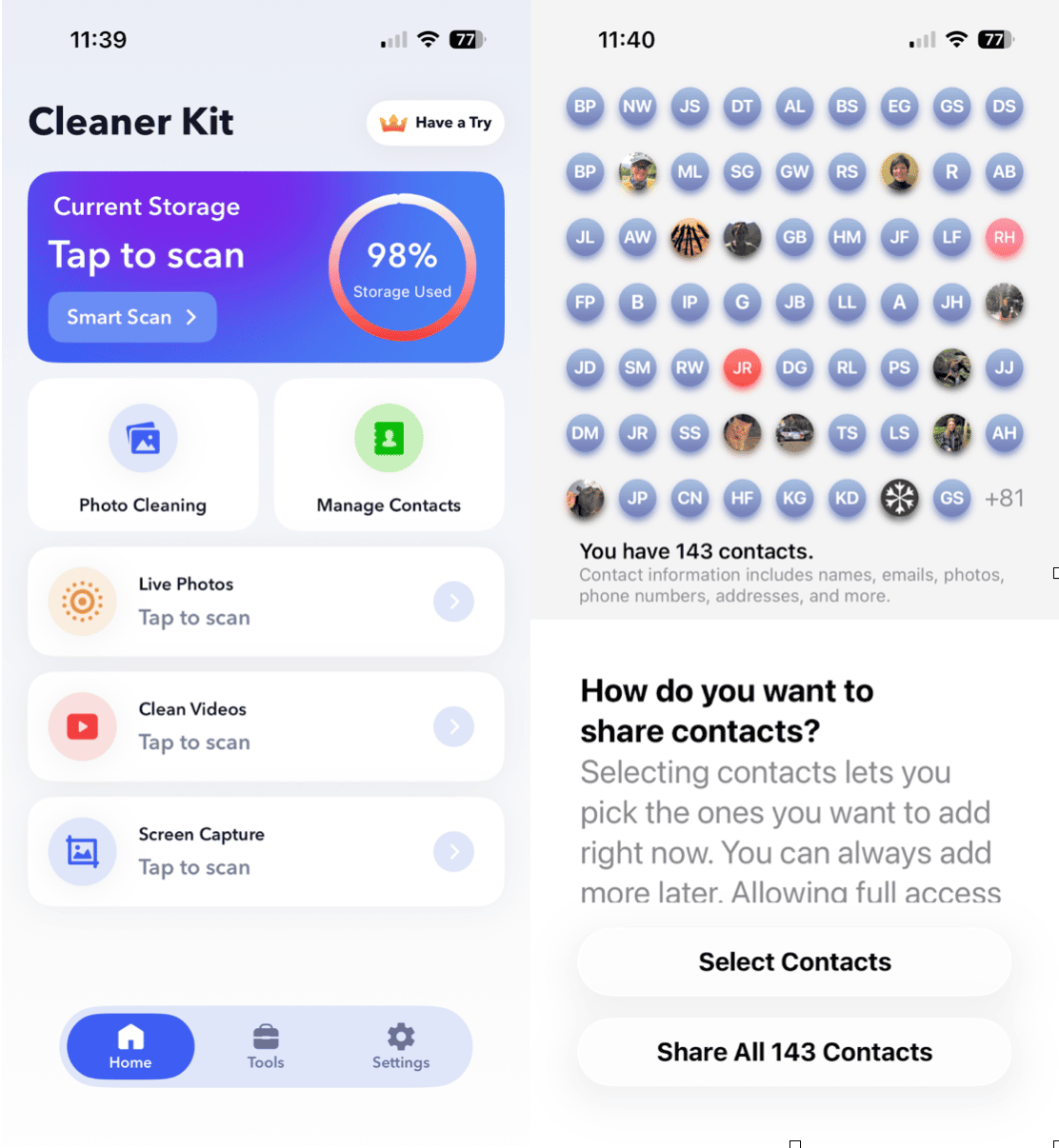
No app is perfect, and Cleaner Kit has a few areas that could use improvement. The slow scan speed is the most obvious drawback. On a device with thousands of photos and high-resolution videos, the scan felt long enough that I wouldn’t want to repeat it often.
I also noticed occasional inaccuracies in how photos were grouped. It wasn’t frequent enough to make the app unreliable, but it is something to be aware of.
The interface, while nice to look at, sometimes felt crowded because of how many tools the app tries to include in one place. And although the free version is technically usable, watching dozens of ads to remove a meaningful number of files simply isn’t practical. If you’re going to use the app, be sure to get the paid version to save your sanity.
Cleaner Kit does deliver strong results once you get through the scan. It frees up real storage, and the AI does a solid job, even if it isn’t perfect.
Does it work as well as CleanMy®Phone?
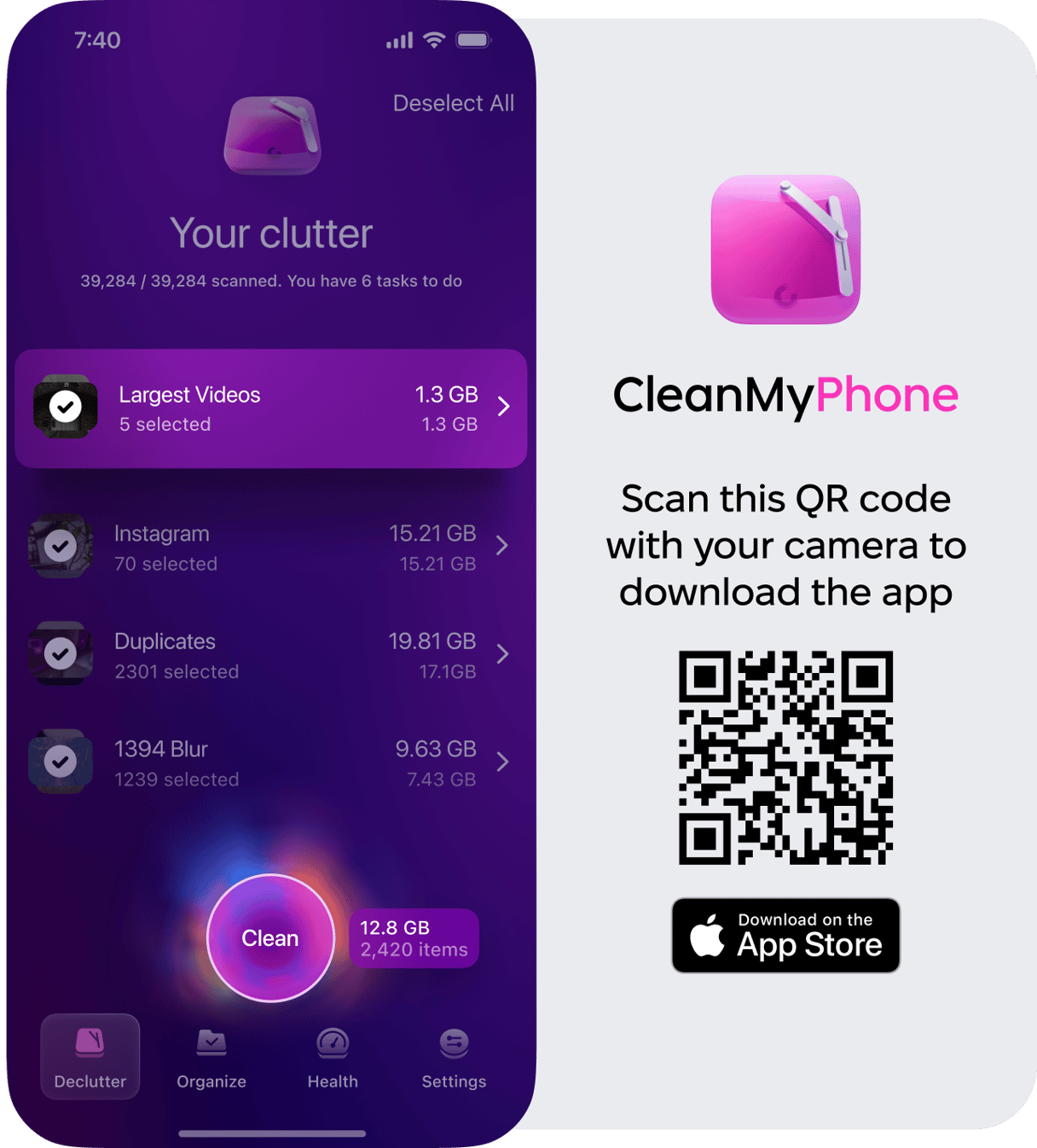
Cleaner Kit absolutely works beautifully for everyday cleanup. But when I compared it side-by-side with CleanMy®Phone, especially on a device with a very large and messy media library, CleanMy®Phone consistently produced faster scans and more accurate duplicate detection.
Cleaner Kit tries to serve as a system utility with many added tools; CleanMy®Phone focuses almost exclusively on media cleanup.
That focus gives it a clear advantage if you have years of photos, multiple trips’ worth of videos, or a library that’s gotten out of control. The CleanMy®Phone Declutter Module, in particular, does an exceptional job identifying true duplicates while minimizing false positives. It also felt noticeably faster, so you can do a quick cleanup in just a few minutes.
If your iPhone is full because your photos and videos dominate your storage, which is honestly the case for most of us, CleanMy®Phone tends to deliver a smoother and more reliable experience.
Cleaner Kit vs CleanMy®Phone — Real Comparison
Cleaner Kit and CleanMy®Phone both solve the storage problem in similar ways. Cleaner Kit provides an enormous suite of tools, from system monitoring to charging animations, and the app does a respectable job at finding duplicates and unnecessary files.
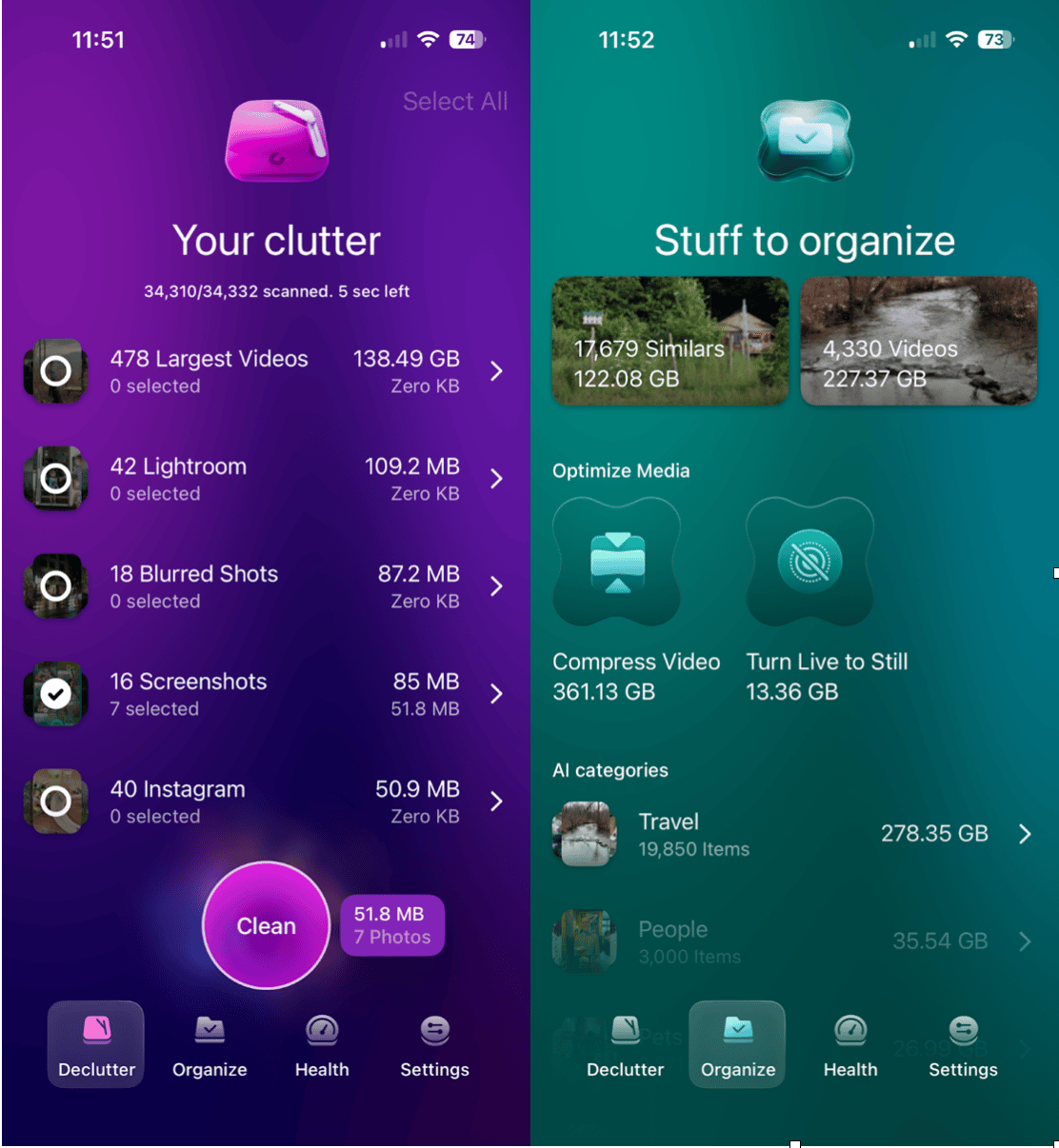
CleanMy®Phone takes a more streamlined approach. It’s designed for one core purpose: intelligently organizing, decluttering, and optimizing media. That narrower focus makes it feel cleaner, faster, and easier to use. When comparing accuracy, CleanMy®Phone did a better job of avoiding errors in grouping similar photos. It also handled large libraries with more speed and fewer hiccups.
Cleaner Kit is ideal if you want a multifunctional app with lots of extras. CleanMy®Phone shines if you want the most accurate, quickest cleanup for big media collections without the clutter of secondary features.
Feature / Category | Cleaner Kit: Clean Up Storage | CleanMy®Phone |
Primary Purpose | All-in-one device utility with cleaning tools, system monitoring, and personalization features | Dedicated photo/video decluttering and storage optimization |
Scan Speed | Slower, especially with large media libraries; full scans often take 5+ minutes | Fast, optimized for large photo and video collections |
Duplicate Photo Detection | Good, though sometimes groups unrelated images | Highly accurate with fewer false positives |
Similar Photo Detection | Strong AI, but occasional misgroupings | Advanced AI trained specifically for media cleanup |
Large Video Detection | Identifies large files; offers compression | Identifies large files and offers compression |
Video Compression | Yes, built-in compressor to reduce file size | Yes, built-in compression to reduce file size |
Secret/Private Vault | Yes, an encrypted vault for photos, videos, and contacts | No vault (focused solely on cleanup & organization) |
Calendar Cleanup | Yes, identifies old or unnecessary events | No calendar cleanup (media-focused app) |
System Tools | Includes CPU/RAM monitoring, speed tests, and charging animations | Offers speed testing for your network |
Interface Style | Feature-heavy; can feel busy | Minimal, intuitive, focused on core tasks |
Free Version | Free but heavily ad-supported; ads are required for many actions | Limited free version; no ads |
Best For | Users who want an all-purpose utility app with many extras | Users with large photo/video libraries who want accurate, safe cleanup |
Strengths | Tons of features, privacy tools, widgets, and animations | Fast scanning, precision accuracy, simple workflow |
Weaknesses | Slow scans, occasional AI grouping errors, and an ad-heavy free tier | Media-focused only |
Overall Experience | Versatile, broad feature set | Fast, accurate, and user-friendly for storage-heavy users |
Cleaner Kit is one of the more polished, full-featured iPhone cleaners available today, and I wouldn’t hesitate to recommend the paid version.
It successfully detects clutter, provides a wide range of cleanup categories, and includes bonus tools that some users will appreciate. However, it isn’t flawless; the slow scan time, occasional grouping mistakes, and heavy reliance on ads in the free tier hold it back a bit.
If your main problem is a massive photo or video library, or if you want the fastest and most accurate results possible, CleanMy®Phone offers a smoother, more focused solution. It excels exactly where iPhone users need help most: organizing and cleaning up large batches of media without stress or wasted time.
Both apps have their strengths, and both can help you reclaim storage. The difference is that Cleaner Kit aims to be an all-purpose toolkit, while CleanMyPhone is built specifically for precision photo and video cleanup, and in that area, it consistently performs better.

