
Developers spend most of their time in the Terminal. It's where projects are built, logs are checked, scripts are run, and problems get solved. It's also where clutter quietly builds up: caches, build artifacts, temporary files, and all the small leftovers that come with everyday development work. CleanMyMac clears that kind of junk, but until now, using it meant leaving the Terminal.
To help you stay focused without breaking your flow, CleanMyMac is coming to the command line. Clean up Docker artifacts, Xcode caches, build outputs, package manager leftovers, and more without switching context.
It's an early developer preview, built for the way developers actually work.
How CleanMyMac CLI works
CleanMyMac CLI is available through Homebrew. Install it with:
brew install --cask macpaw/taps/cleanmymac-cli
It requires macOS 11 Big Sur or later.
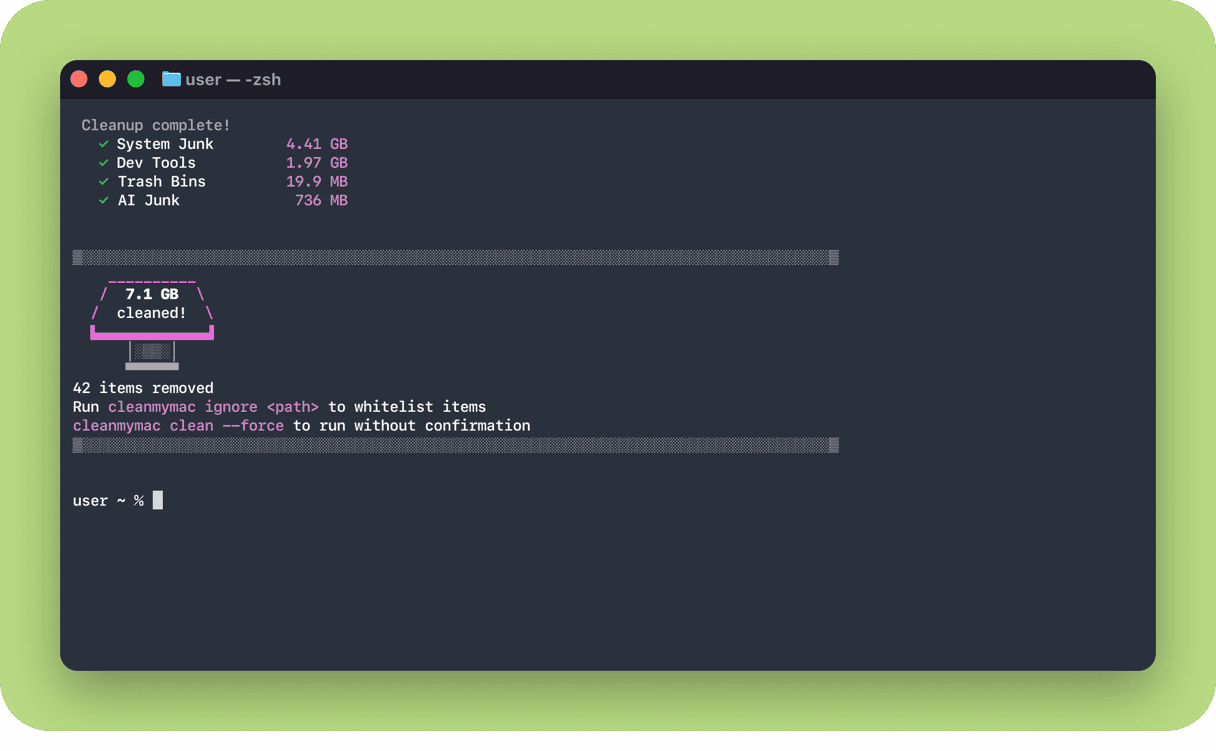
Once installed, you can start clearing developer clutter right away. Every command shows what it will remove and asks for confirmation before deleting, so nothing disappears without your say-so. Here are a few of the commands to begin with.
The simplest place to start is a full cleanup, which clears system junk, developer-tool caches, and trash in one pass:
cleanmymac clean
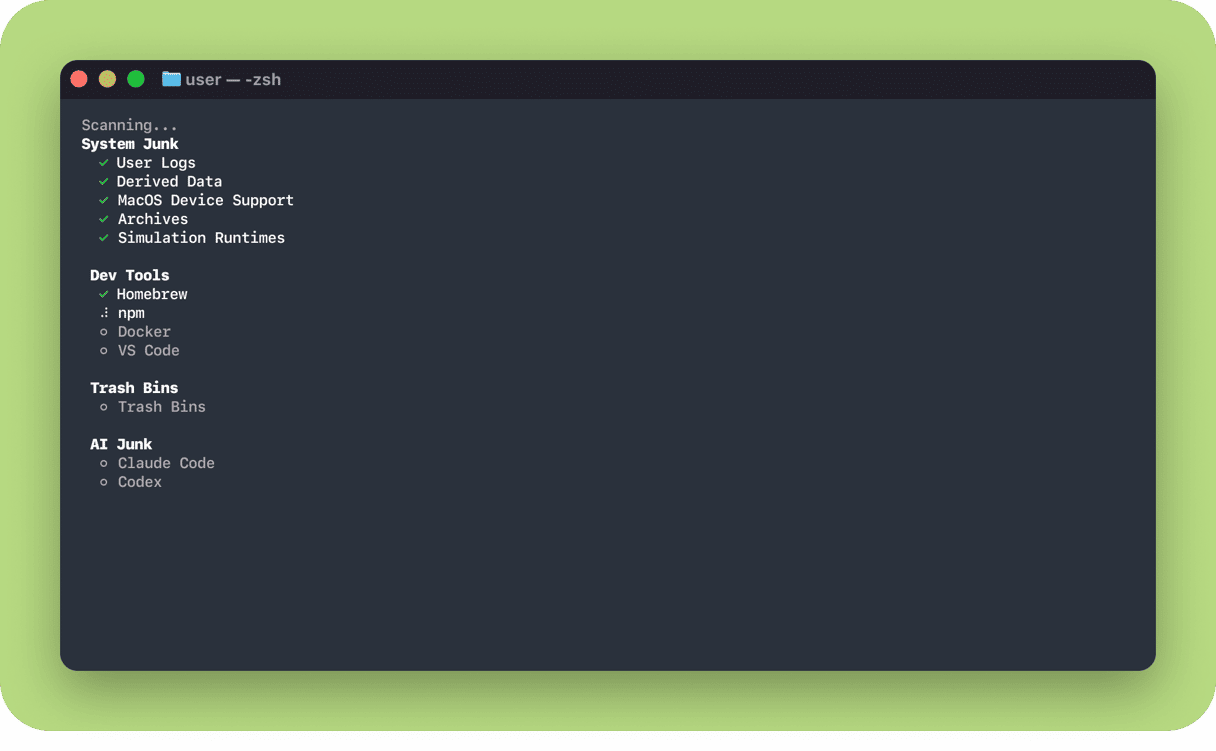
To target just one category, use clean with a subcommand. Clear the cached packages and build files left behind by developer tools:
cleanmymac clean dev-tools
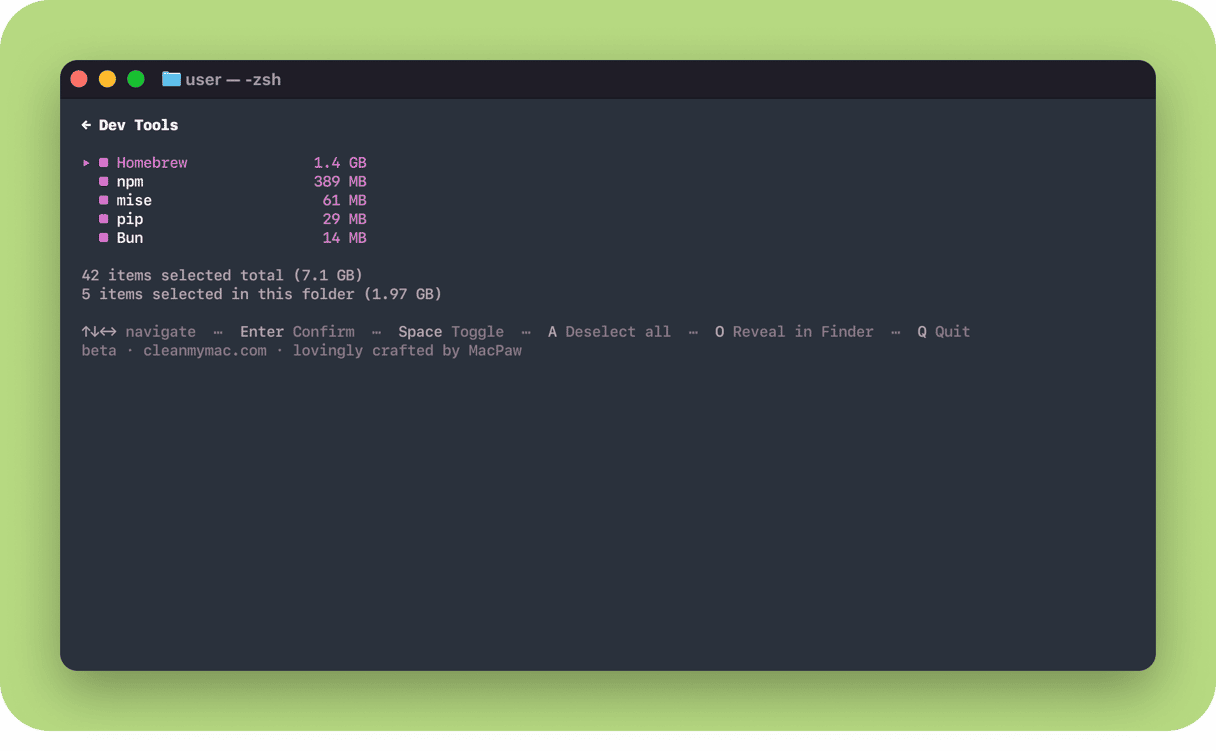
This covers Homebrew, npm, Yarn, pnpm, pip, Cargo, Go, CocoaPods, Docker, VS Code, JetBrains, Maven, Gradle, Poetry, uv, Bun, Deno, and mise.
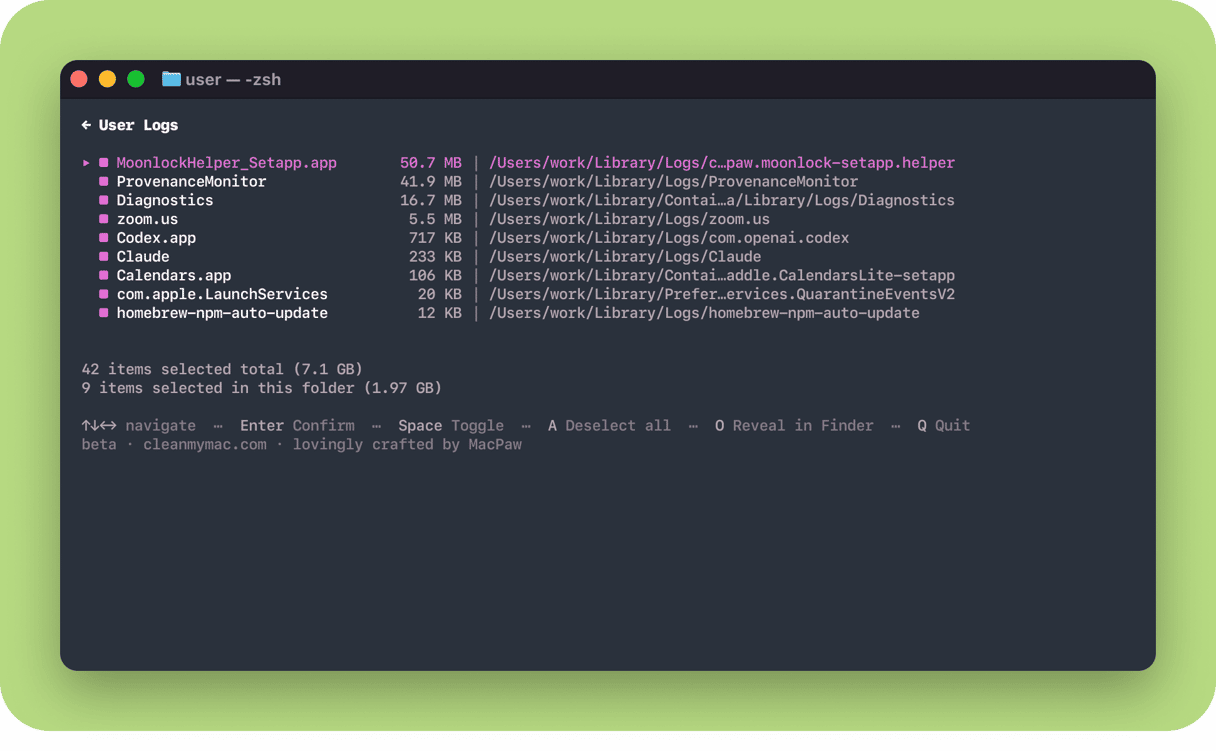
Clear system-level developer junk, including user logs, Xcode DerivedData, Device Support, Module Cache, and Documentation Cache:
cleanmymac clean junk
Find and remove old build artifacts across your projects:
cleanmymac purge
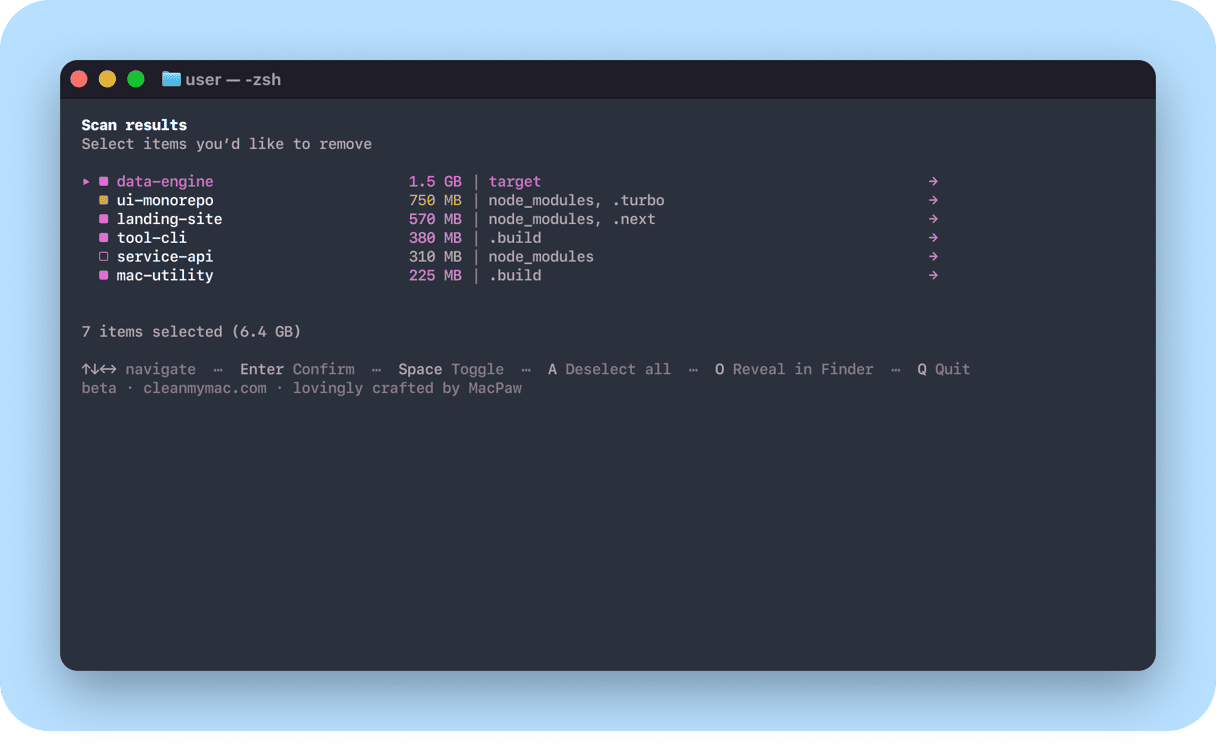
This scans your developer folders (~/Projects, ~/Code, ~/dev, ~/GitHub, ~/Workspace) and lists removable artifacts grouped by project, so you can review before anything is deleted. Artifacts older than 7 days are preselected; newer work is left untouched.
These commands are just the start. For the full list, along with details on privacy and safety, see the GitHub repository.
Try it and share your thoughts
CleanMyMac CLI is an early developer preview. If there's a command you wish existed or something you'd do differently,share your thoughts. That feedback shapes what comes next.