
Whether you're removing one application or finally getting rid of a dozen you no longer need, the process should feel quick and effortless.
Many of you told us that waiting for the Applications tool to complete scanning slowed things down. So we made it faster. Now you can start reviewing and deleting apps in seconds, without waiting for the entire scan to finish.
What’s changed: Get to your apps faster
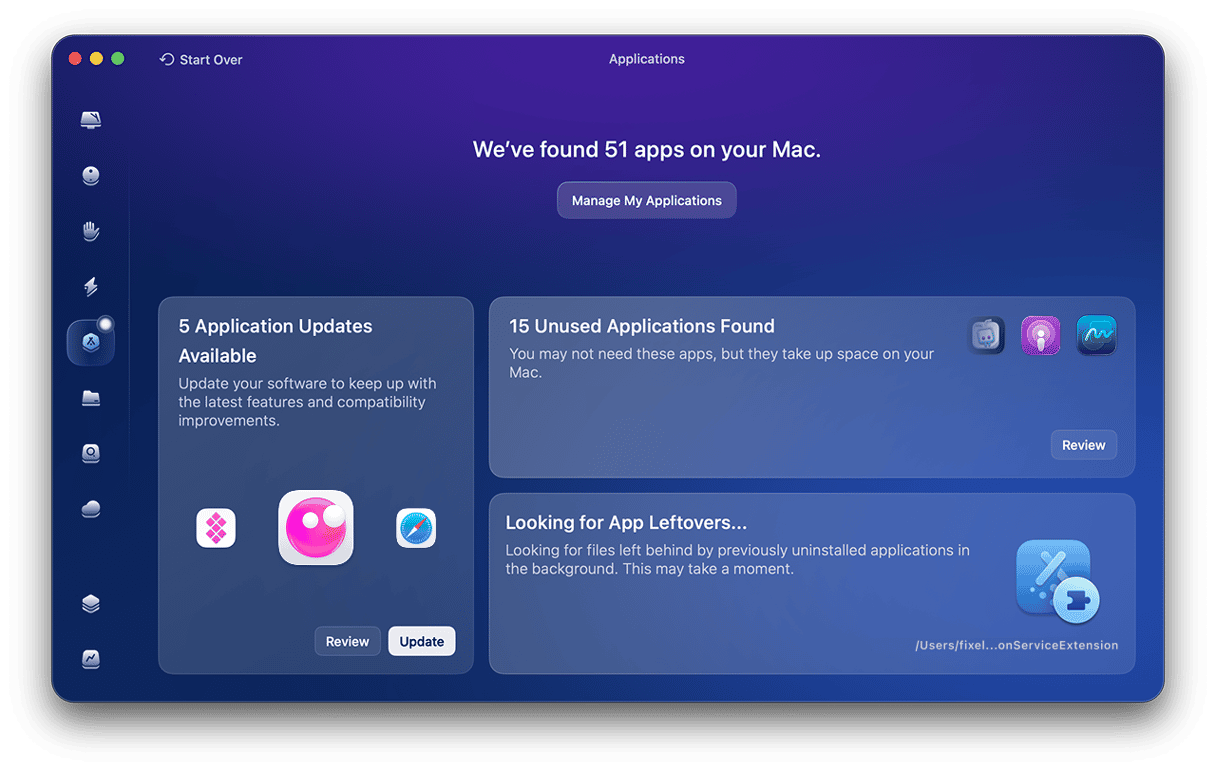
The Applications tool now uses the asynchronous, progressive scanning under the hood to get you to your app list sooner. Instead of waiting for everything to finish loading, you can immediately see which apps are ready for review and start deleting the unneeded ones.
Behind the scenes, CleanMyMac continues scanning app-related files and resources, but that doesn’t keep you from getting started. You spend less time waiting and more time managing your apps.
How it works for you
The next time you open the Applications tool, you'll be able to:
- See your apps in seconds instead of waiting for the full scan
- Start removing apps right away, even while the scan continues
- Let CleanMyMac finish scanning in the background, without interrupting your workflow
- Track scanning progress with clear status indicators
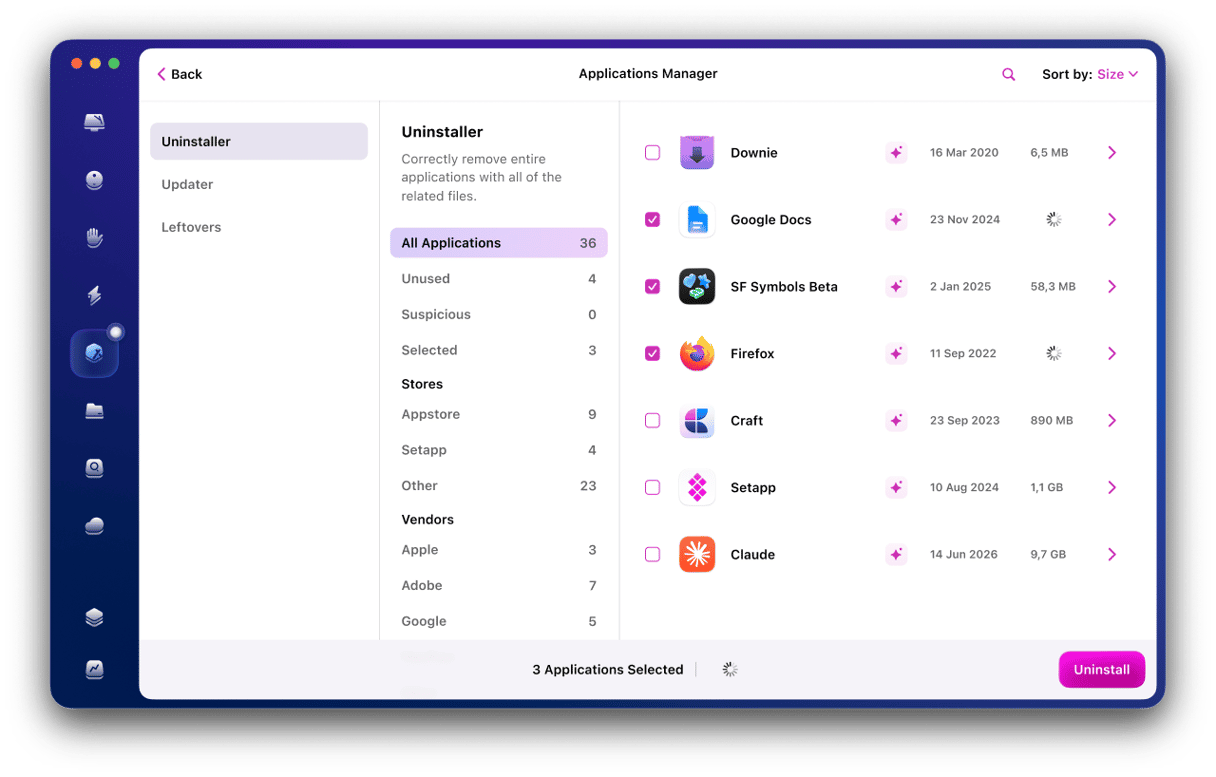
No more waiting for everything to load before you can take action. The Applications tool now makes app removal feel much faster and smoother.
Improving CleanMyMac, together
This update didn't come out of nowhere, it came from you. When you pointed out that the Applications tool took a little too long to get going, we took it as a challenge, not just feedback.
The result is an experience that seems lighter and a lot less like waiting around. And it's a good reminder that some of our best updates start with a comment from a user like you.
So go ahead — open CleanMyMac, head to Applications, and see how quickly you can clear out the apps now. Then tell us what you think. Your ideas could inspire our next update.