

If you’ve downloaded Avast’s free protection tools, collectively known as Avast One Basic, to your Mac to keep it safe from malware, you’ll know that while it does a good job of scanning for malware and keeping threats off your Mac, it can also be a little irritating. Whether it’s the slightly cartoonish interface, the persistent nagging to upgrade to the paid-for version, or the additional tools beyond basic virus protection that it installs, there are plenty of reasons you might be looking for another security tool. In this article, we’ll take you through the Avast alternatives for Mac and show you where each excels and where it doesn’t perform so well.
Is Avast good for Mac?
In a word, yes. Avast One Basic does consistently well in reviews and ranks highly among security tools for identifying security threats and dealing with them. And while some of its features are only available in the paid-for version, the fundamental malware protection — scanning your Mac and removing threats — is free. Nevertheless, some users have found some downsides: being prompted to upgrade to access additional features, along with historical issues around user data being sold to third parties, and background processes Avast runs slowing down their Macs. That is why they no longer want to use it and are looking for an alternative.
Do you actually need antivirus on Mac?
Apple is known for being very focused on the privacy and security of its users. And features like GateKeeper (which controls what applications can be installed on your Mac) and XProtect (which blocks known malicious files and apps from executing) do a great job. However, malware developers are nothing if not creative and threats are constantly evolving. Specialist malware tools will always improve your Mac’s security compared with leaving it to macOS on its own.
Best Avast alternatives for Mac
Ultimately, the best Avast alternative is the one that does what you need it to do at a price you’re willing to pay. The apps below are the best options for most people, and you should find one among them that works for you.
Feature | Avast | CleanMyMac | Malwarebytes | Bitdefender | Intego One | Norton Antivirus Plus |
Product focus | Traditional antivirus suite | Mac optimization + malware cleanup | Anti-malware/security | Full antivirus suite | Mac-focused security suite | Full cybersecurity suite |
Starting price | $77.99/year | $39.95/year | $49.99/year | $49.99/yea | $39.99/year | $59.99/year |
Free trial | 60 days | 7 days | 14 days | 30 days | 7 days | 30 days |
Mac-native app | Yes | Yes — built specifically for macOS | Yes | Yes | Yes — designed specifically for Mac | Yes |
Real-time protection | Yes | Yes | Yes (Premium only) | Yes | Yes | Yes |
Malware removal | Strong | Strong | Excellent malware detection | Excellent malware + ransomware protection | Strong Mac malware protection | Excellent malware and ransomware protection |
Performance impact | Moderate | Lightweight | Lightweight to moderate | Lightweight | Lightweight | Moderate |
Privacy reputation | Mixed due to past data-sharing controversy | Strong privacy-focused reputation | Generally positive | Strong reputation | Strong reputation | Generally strong reputation |
1. CleanMyMac
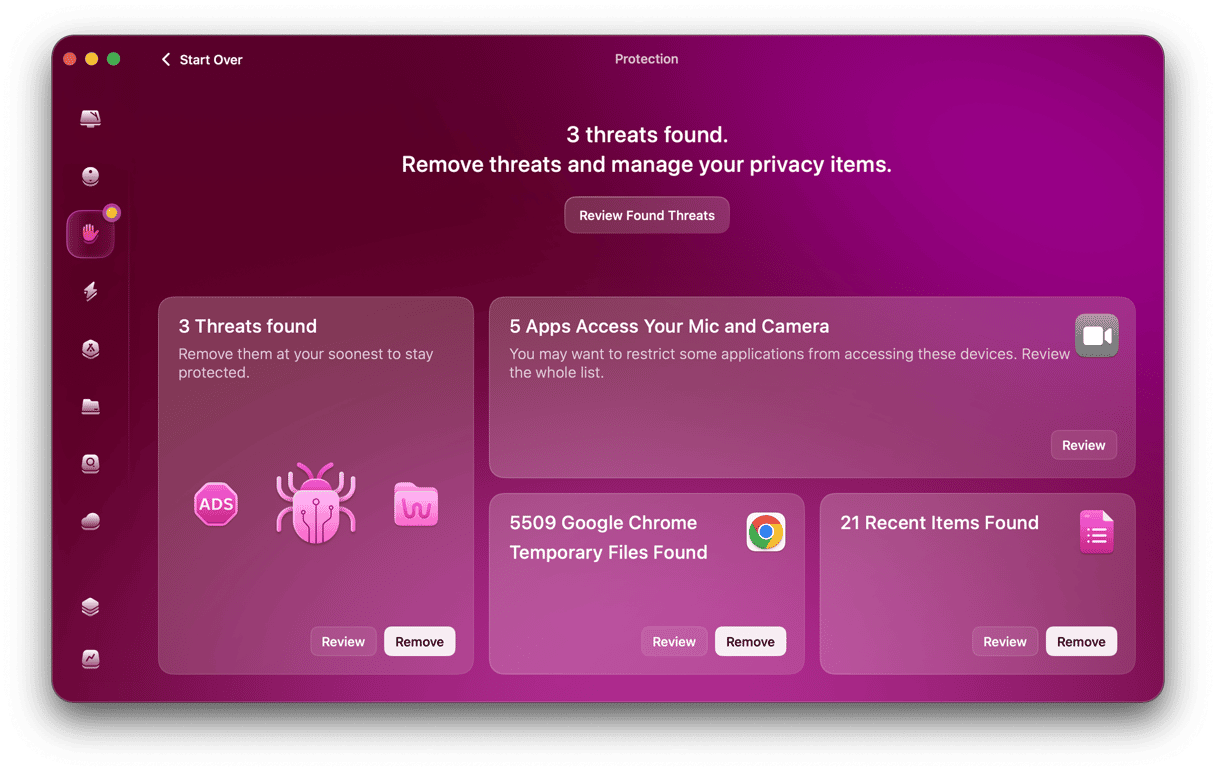
CleanMyMac’s Protection feature scans your Mac looking for known malware threats and, if it finds any, removes them with one click. There are three options for scanning:
- Deep, which scans your whole system;
- Quick, which is quicker than a deep scan but not as comprehensive
- Balanced, which is a hybrid of the two
In addition, you can set CleanMyMac to monitor your Mac for malware in real time and constantly check for malicious activity, even when it’s not running.
Who it is for: Anyone who wants a Mac-native security tool that’s easy to use.
Price: $39.95/year
Good: Easy to use; provides excellent protection
Bad: No firewall and VPN
2. Malwarebytes
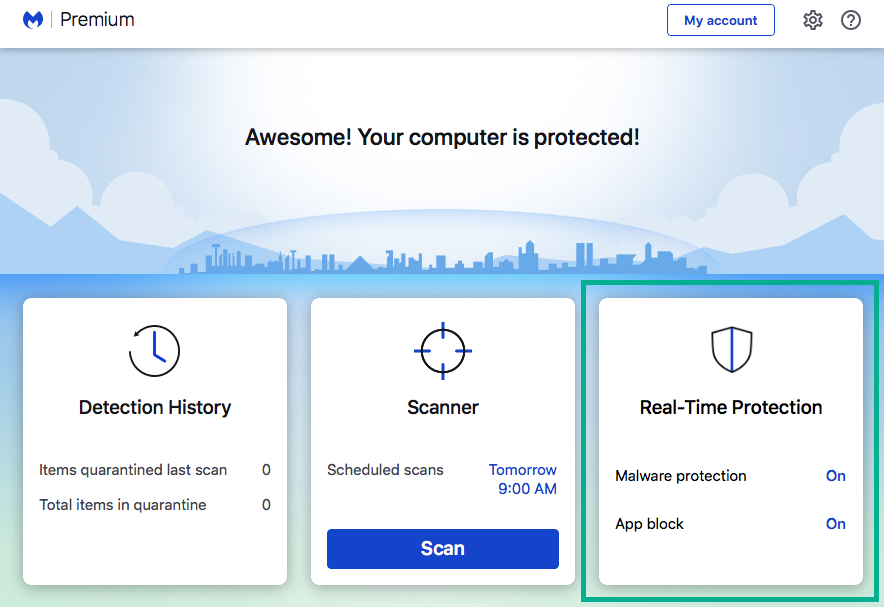
Malwarebytes offers fast scanning to detect and remove malware from your Mac. It also has a built-in VPN, digital footprint monitoring, ransomware protection, and the ability to scan internal and external drives. Scans can be scheduled and customized, and real-time monitoring is also available.
It lacks some features seen in other security tools, such as a firewall. And its reporting can be a little limited for those who want more detail.
Who is it for: Those who want to scan external drives in real time.
Price: Starts at $49.99/year
Good: Real-time monitoring; can scan external drives
Bad: No firewall; reporting lacks detail
3. Bitdefender
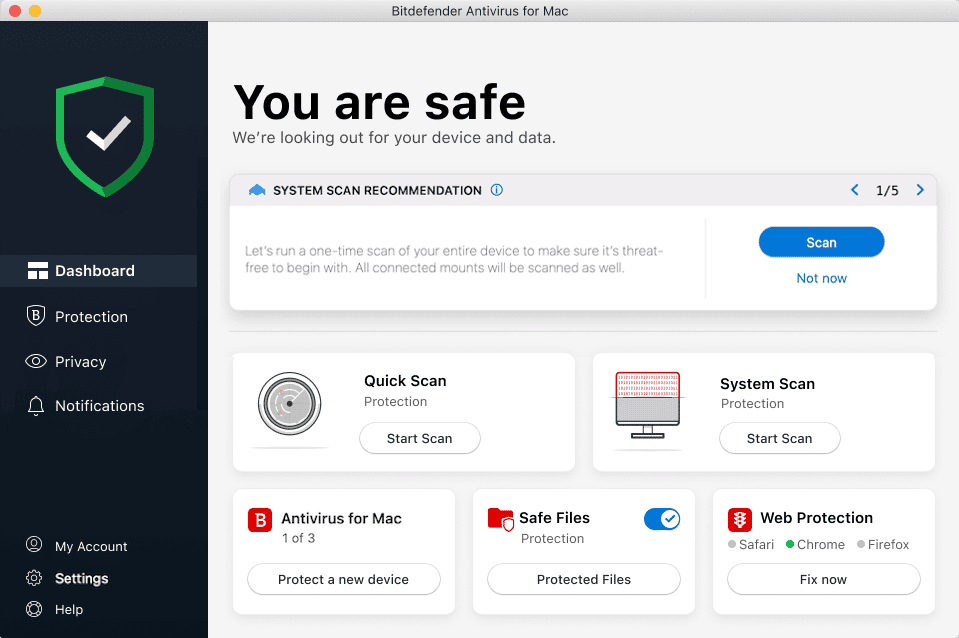
Bitdefender’s strength is in its malware identification and removal. It consistently scores highly with independent labs in their tests. As well as scanning your Mac for malware and removing it, Bitdefender includes ransomware and phishing protection, a feature-limited VPN, and a tool for highlighting potentially unsafe links in messaging apps.
When it comes to scanning, you can scan the whole system or run a quick scan that checks the folders where malware usually hides. Either way, you can set it and forget it. There’s also a custom scan option that allows you to drop a file on Bitdefender’s interface to check it for malware.
Who it is for: Anyone who wants antivirus protection with phishing protection.
Price: Starts at $49.99/year
Good: Excellent malware protection; phishing tool highlights unsafe links in messaging apps
Bad: Interface is not Mac-like; can’t select VPN location.
4. Intego One
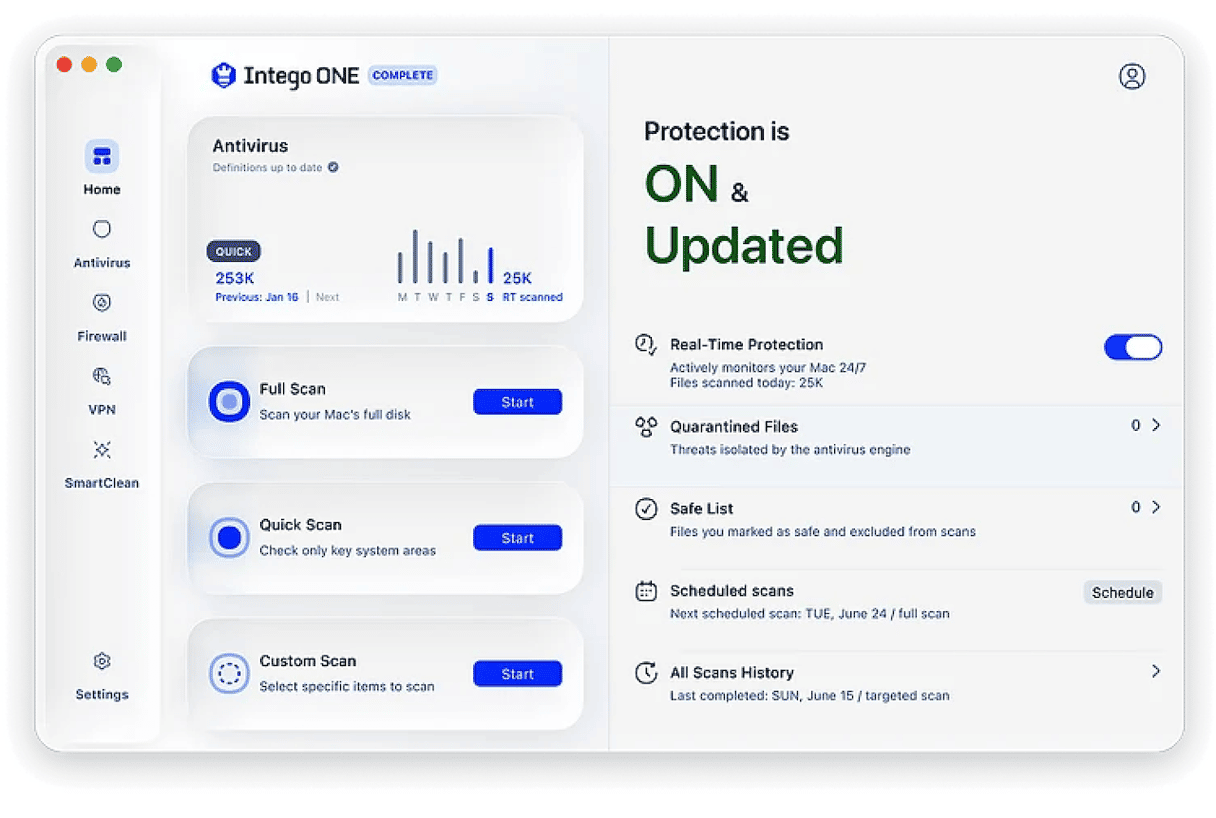
Unlike Malwarebytes and Bitdefender, Intego One has been built from the ground up as a native Mac app. The One in it signifies that while features like the firewall and VPN used to be separate apps within the Intego Internet Security suite, they are now part of the same app as its malware protection.
Its quick scan was very quick in tests, as quick as CleanMyMac, and its full scan was no slouch either. Intego One does a good job of identifying and quarantining malware but lacks tools for preventing phishing attacks or identifying potentially malicious websites.
Who it is for: People who want a Mac-native app that includes a VPN and firewall.
Price: Starts at $39.99/year
Good: Native Mac app; Fast
Bad: Lacks phishing protection
5. Norton Antivirus Plus
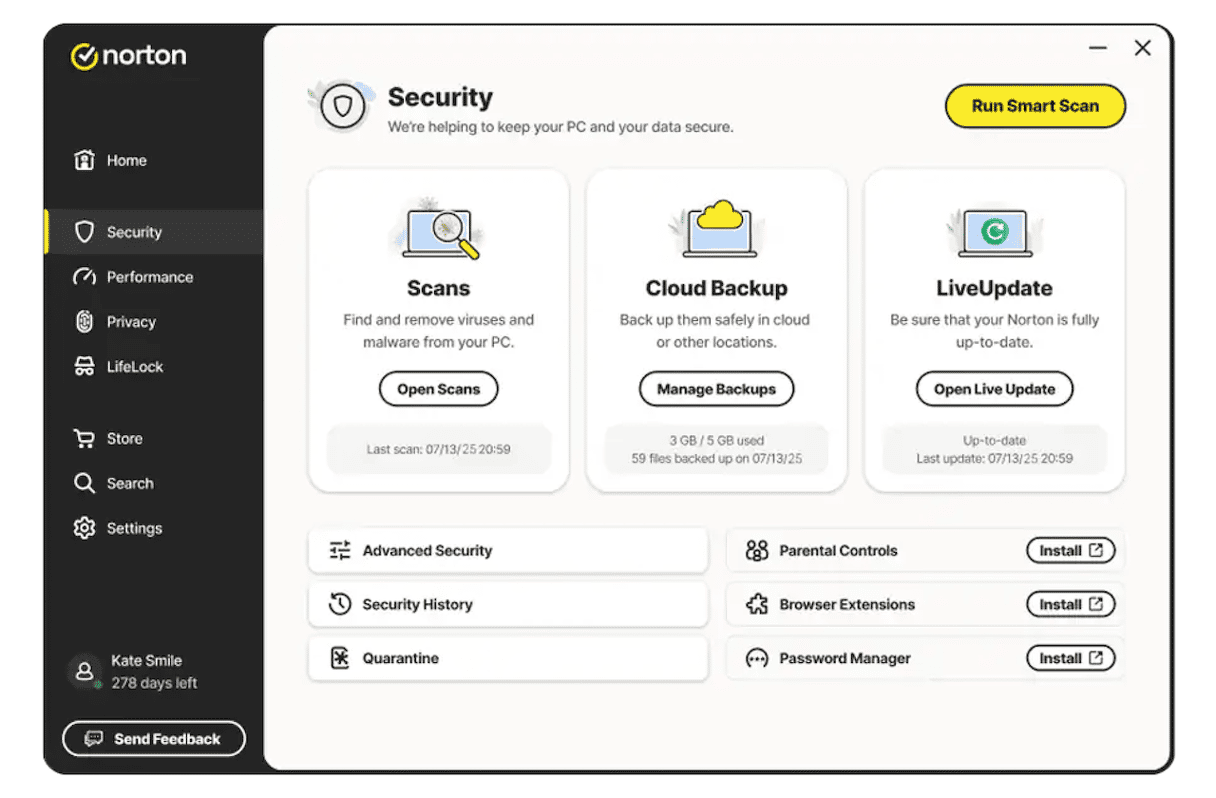
Like Bitdefender, Norton Antivirus Plus scored very highly in independent lab tests when it comes to identifying and removing malware. It also includes additional features like a firewall, web surfing protections, and guards against phishing attacks. Virus scans can be configured to run in the background — set it and forget it — or you can scan individual files on demand. It’s slightly faster than the average when it comes to scanning, but not as fast as CleanMyMac or Intego One.
However, like Malwarebytes and Bitdefender and unlike Intego One and CleanMyMac, it’s not a native Mac app, and it shows in the interface. Also, if you want a VPN as part of your antivirus package, you’ll have to pay more for the full Intego 360 package.
Who it is for: Those who want a tool that does the basics of antivirus protection very well.
Price: $59.99/year
Good: Excellent malware detection; Firewall and web protection
Bad: No VPN
Why CleanMyMac is the best Avast alternative for most Mac users
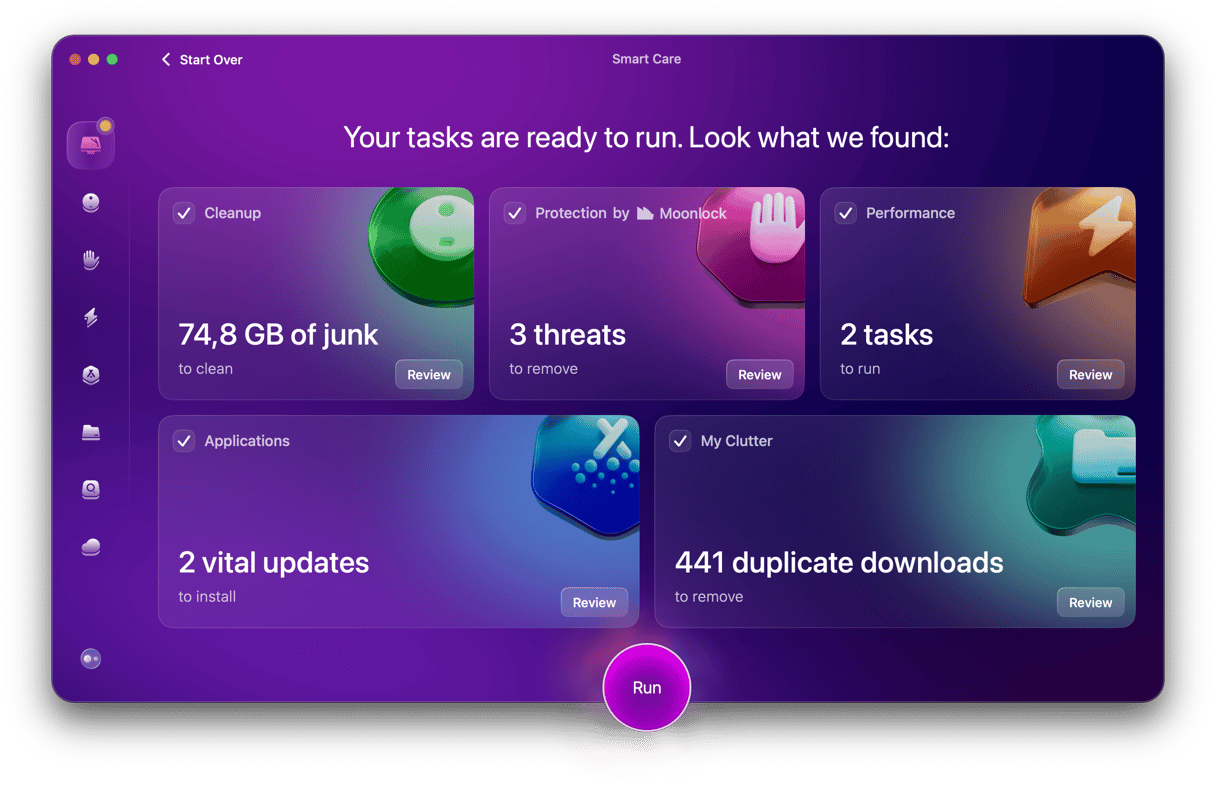
Unlike Avast, Malwarebytes, or Bitdefender, CleanMyMac is a native Mac application with an interface designed for the Mac. It also combines malware detection with system cleanup and performance optimization tools. Its Smart Care feature runs a full health check on your Mac: malware scan, junk cleanup, and performance check. It’s all done on your Mac and doesn’t send any of your data to third-party servers, so it’s completely safe.
For most Mac users, CleanMyMac, combined with the Mac’s own built-in security tools, is more than enough protection.
Here’s how it works:
- Start your CleanMyMac free trial — you can test it for 7 days without any limitations.
- Open CleanMyMac and choose Smart Care.
- Click Scan.
- Run.
How to switch from Avast or other software to CleanMyMac
Once you’ve decided which Avast alternative you want to go for, you can make the switch. It’s important to fully uninstall Avast; otherwise, it will leave behind a footprint of files in lots of different locations in your Mac’s Library folder and your user Library folder that could slow down your Mac or even cause it to become unstable.
You can uninstall Avast manually, by going through files in the main Library and user Library folders and dragging files to the Trash (use Finder > Go > Go to Folder > /Library and ~/Library to find them). But that would take a long time and risk missing files.
The best way to do it is to use a specialist uninstaller, like the one in CleanMyMac. If you’ve decided to switch to CleanMyMac, install it first and then use its Applications feature to uninstall Avast.
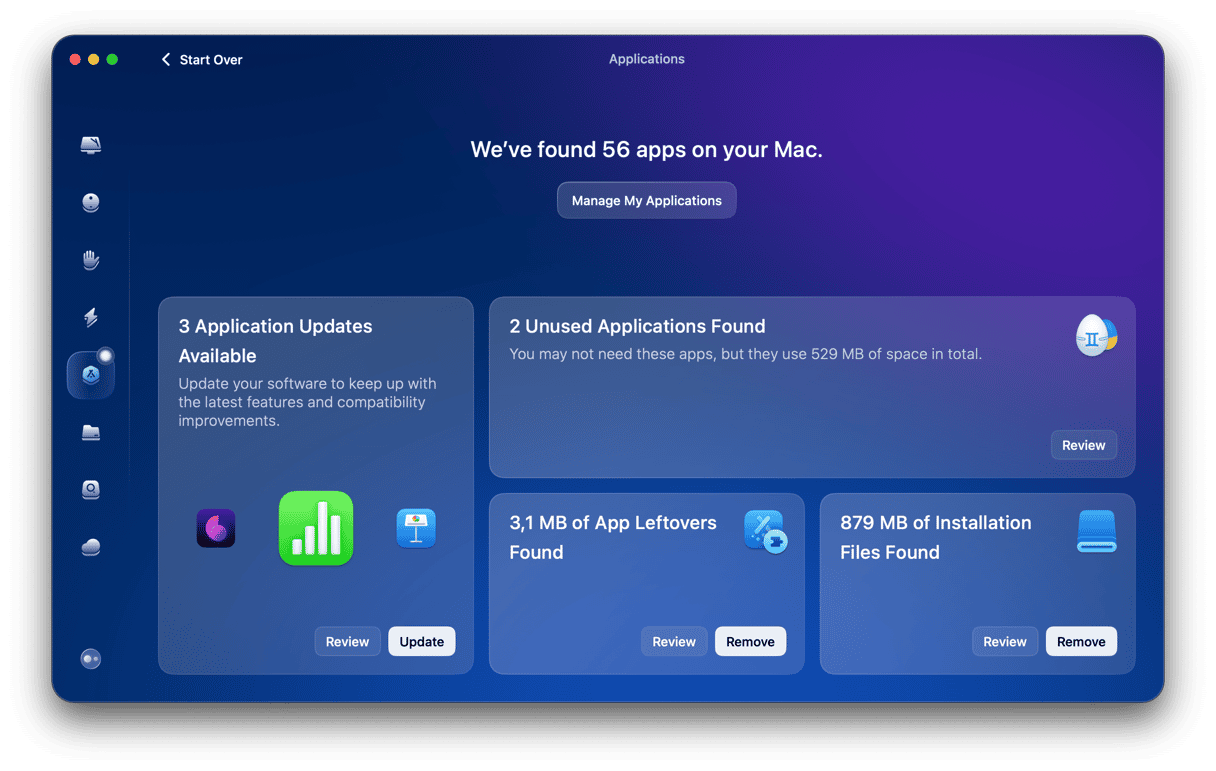
Once you’ve done that, you can use the Protection feature in CleanMyMac to keep your Mac safe from Mac-specific malware, adware, and potentially unwanted programs — the threats that actually target macOS today. It’s lightweight, won't impact your Mac’s performance, and doesn’t harvest your data.
- Open CleanMyMac.
- Choose Protection in the sidebar.
- Run a scan to see if anything was left behind by Avast or picked up since.
Verdict
As you can see, there are several Avast alternatives for Mac. The best option for you will depend on what you’re looking for. If you want a native Mac app, there are two options: Intego One and CleanMyMac. The others are all very capable antivirus tools, and Bitdefender and Malwarebytes offer other features, too. So, take your time and choose carefully.
Frequently asked questions
1. What is the best antivirus for my Mac?
It all depends on your needs and wants. Generally, any tool listed in our list is effective and reliable. So, choose based on functionality and aesthetics.
2. Is Avast owned by russia?
No. It was originally founded in Czechoslovakia and headquartered in Prague, Czech Republic. In 2022, Avast merged with the American cybersecurity firm NortonLifeLock to form Gen Digital.
3. What is the Mac equivalent of Windows Defender?
Apple’s built-in equivalent to Windows Defender is XProtect. Operating silently in the background, it automatically scans downloaded files for known malware using hidden security files updated daily by Apple.