Is 8 GB RAM enough? If you’re about to buy a MacBook Neo, this is probably the biggest question at the top of your list. Honestly, for the majority of everyday users, and by that I mean anyone using a Mac for browsing, sending emails, basic document work, streaming, and light photo editing, 8 GB of unified memory on an Apple silicon Mac is most likely enough in 2026. But for a lot of users who are doing more with their machines, 8 GB isn’t going to work.
Most of Apple’s newer MacBook Air models now start at 16GB, the Neo is capped at 8GB of unified memory, and many older M-series MacBooks, or a refurbished model too, so because Mac RAM cannot be upgraded after purchase, this is a pretty big, permanent choice.
Why 8 GB on a Mac is different from 8 GB on a PC
Is 8 GB RAM enough for Mac? On Apple silicon, memory works differently from traditional PC RAM.
Apple uses unified memory, which means the CPU, GPU, and Neural Engine share one memory pool. That makes memory use more efficient because the system doesn’t need to keep copying data between separate CPU and graphics memory.
But it also means the same 8 GB has to cover everything, so apps, browser tabs, background processes, display output, and graphics tasks. The GPU has no separate VRAM. After macOS and system processes take their share, an 8 GB Mac may leave around 3-4 GB for apps.
That sounds tight, but 8 GB can still feel capable because macOS uses memory compression and Apple silicon has high memory bandwidth. It handles pressure well, up to a point.
Is 8 GB RAM really enough?
What you’re doing on your MacBook | Is 8 GB enough? | Notes |
Web browsing, email, streaming | Yes | For core everyday tasks, 8 GB won’t be an issue. |
Documents, spreadsheets, Notion | Yes | Office-style work runs easily. |
Zoom or video calls and browser tabs | Yes (with moderation) | Try and keep tabs under 15 for best results. |
Light photo editing (Photos, VSCO) | Yes | Large RAW batches may be slower, but for light editing it’s fine. |
Student / basic coding (VS Code, Python) | Yes | Front-end dev and scripts are fine. |
4K video editing (Final Cut, Premiere) | Borderline | Light 4K works; long timelines will strain 8GB. |
Photoshop with large layered files | Borderline | GPU uses shared pool; performance degrades fast. |
Xcode / heavy development | Borderline | Builds work but are slower than 16GB. |
Running virtual machines (Parallels) | No | The 8 GB split between macOS and VM is genuinely insufficient. |
Local AI model inference | No | Apple Intelligence features may require 16 GB minimum. |
3D rendering, DaVinci Resolve (pro) | No | 16 GB–24 GB minimum for stable performance. |
Apple Intelligence and 8 GB
I think Apple Intelligence is probably one of the main reasons I would question the 8 GB vs 16 GB RAM. In the long run, AI features are increasing, and they need memory; 8GB leaves you with a little less room to play.
Some Apple Intelligence features already require 16 GB, so if you do plan on keeping your Mac for more than three years or use Apple Intelligence heavily, 16 GB is the safer choice.
How to check if your Mac is tight on memory
If you already have an 8 GB Mac and want to know if it’s hitting the memory ceiling, all you need to do is open Activity Monitor from Applications > Utilities. Then hit the Memory tab and look at the Memory Pressure graph at the bottom.
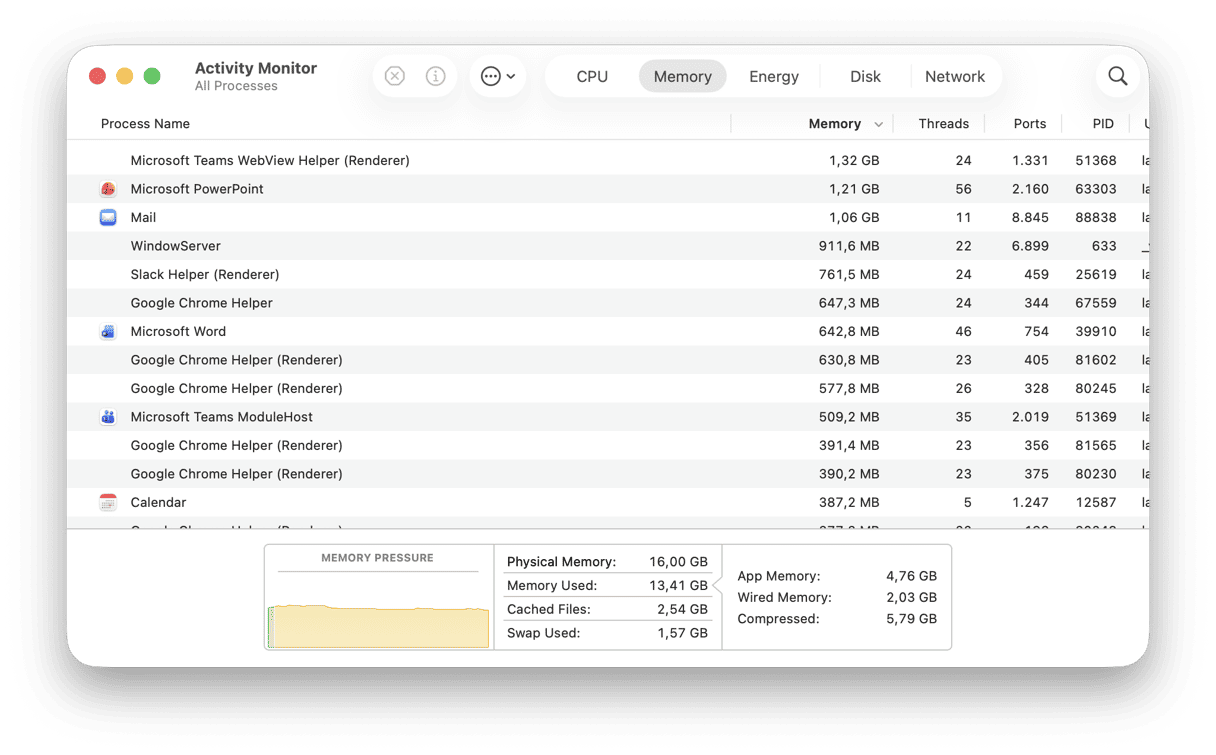
Green means your RAM is fine, yellow indicates you need to start keeping an eye on it, and Red means your memory is constrained, so your Mac will probably start to feel slower.
The Swap Used category is also interesting, because if it’s high, that means your macOS is using SSD storage as a sort of overflow, which is slower and will increase SSD write cycles.
Get the most of your MacBook RAM with CleanMyMac
No matter how much RAM you have, 8 or 16 GB, you’ll always want to keep it lean. CleanMyMac is a great tool to look at here, because its Cleanup feature can remove built-up system junk, cached files, and Mail attachments that accumulate in the background; it can really help you proactively stay on top of disk clutter.
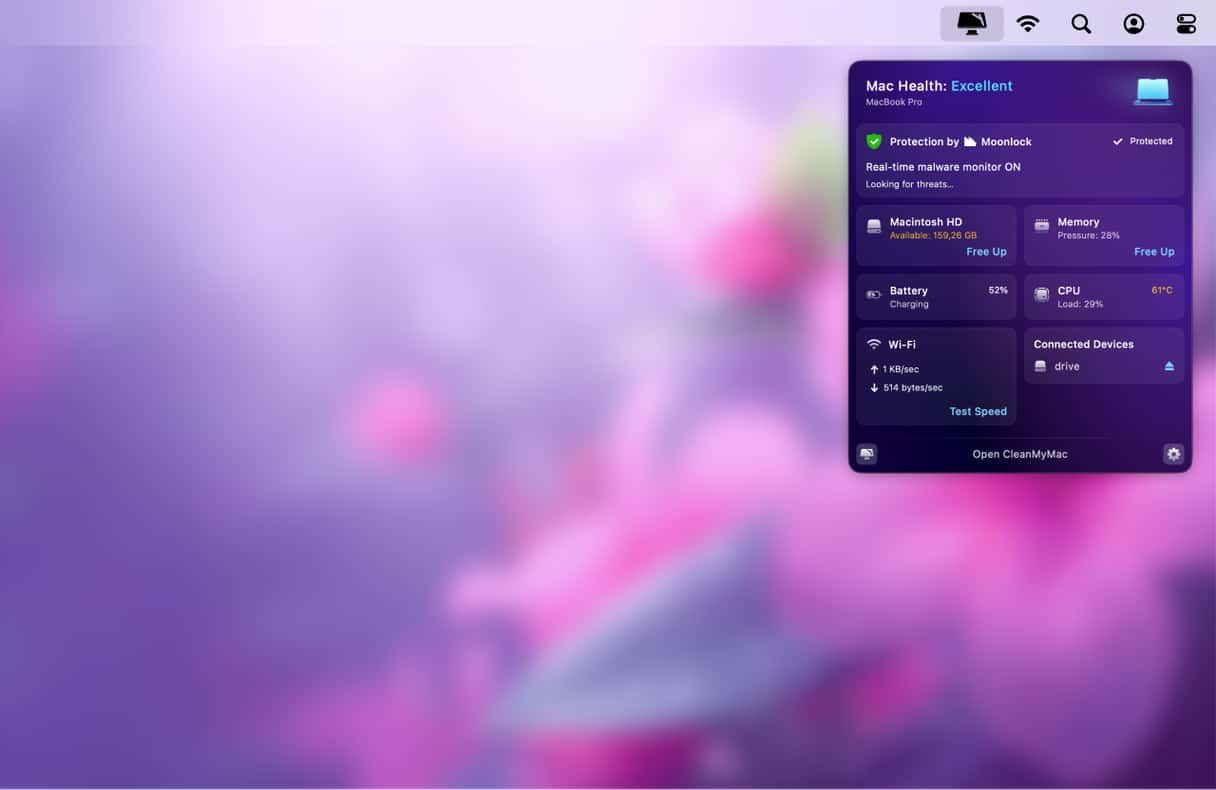
I’m also a big fan of its Menu App. It gives me instant visibility on RAM usage, memory pressure, and which apps are eating resources. If you haven’t already, you can test this tool from MacPaw for free for seven days — get your free trial here.
Verdict: How much RAM do I need?
If you… | Choose… | Reason |
Browse, email, stream, write, light photo edit | 8GB | Comfortably within unified memory’s strengths. |
Edit 4K video or work in Photoshop regularly | 16GB | Extra headroom prevents slowdown on complex files. |
Develop software / run Xcode builds | 16GB–24GB | Build times and simulator performance improve noticeably. |
Plan to keep the Mac 3+ years | 16GB | Future AI features increasingly favor 16 GB minimum. |
Run virtual machines | 16GB+ | 8 GB split between macOS and VM is not viable. |
Hopefully all the info in here has helped you figure out if 8 GB RAM is enough for your computing needs.
Frequently asked questions
How much RAM do I need for a Mac in 2026?
It’s going to depend on what you’re using your machine for; simple everyday tasks will work fine on a MacBook with 8 GB RAM.
Can I upgrade RAM on a MacBook Air or MacBook Pro?
No, you cannot do it on new Macs; that’s why making the right choice at purchase is really important. But you can still upgrade RAM on older Macs — learn more in our RAM upgrade guide.
Is 8 GB of unified memory the same as 8 GB of regular RAM?
Not exactly. Unified memory is shared by the CPU, GPU, and Neural Engine, so it’s more efficient, but the same 8 GB must serve everything at once.