
When Apple launched the MacBook Neo in March 2026, two things stood out, aside from the brightly colored chassis. Those were its $599 price point and its battery life. Apple claimed that its 36.5 Wh battery (that’s two-thirds the size of the MacBook Air M5) could give 11 hours of web browsing or 16 hours of video streaming. Some real-world tests yielded even more impressive results. Tom’s Guide, for example, found that in its tests, the MacBook Neo’s battery lasted 13.5 hours while web browsing. In this article, we’ll take a deep dive into what you can expect from the MacBook Neo’s battery life in different real-world situations, how fast it will charge, and how you can keep it healthy so that it lasts as many years as possible.
MacBook Neo real-world battery life
Apple states that the Neo can last for 11 hours while web browsing or 16 hours if you’re streaming video. However, in its real-world tests, Tom’s Guide found that the Neo’s battery was good for 13.5 hours of web browsing. Both figures are hugely impressive, but they also give an insight into the difficulties of measuring real-world performance. Apple’s figure was obtained with the screen set to ‘eight clicks’ of the display setting. That’s about 50% of the maximum brightness, which we know to be 500 nits. So, Apple had the screen brightness set to 250 nits. In its tests, Tom’s Guide set the brightness to 150 nits, which may explain the slightly longer battery life.
On the other hand, YouTuber Dave2D conducted tests that showed the Neo’s battery lasted less than eight hours while carrying out a variety of tasks that were described as ‘light load’.
In truth, there are a number of things that can impact the battery life of a MacBook, including how hard you’re pushing it (for example, watching a 4K video needs more energy than the 1080p videos Apple uses in its tests), the screen brightness, how many browser tabs you have open, and even the temperature of the environment in which you’re working.
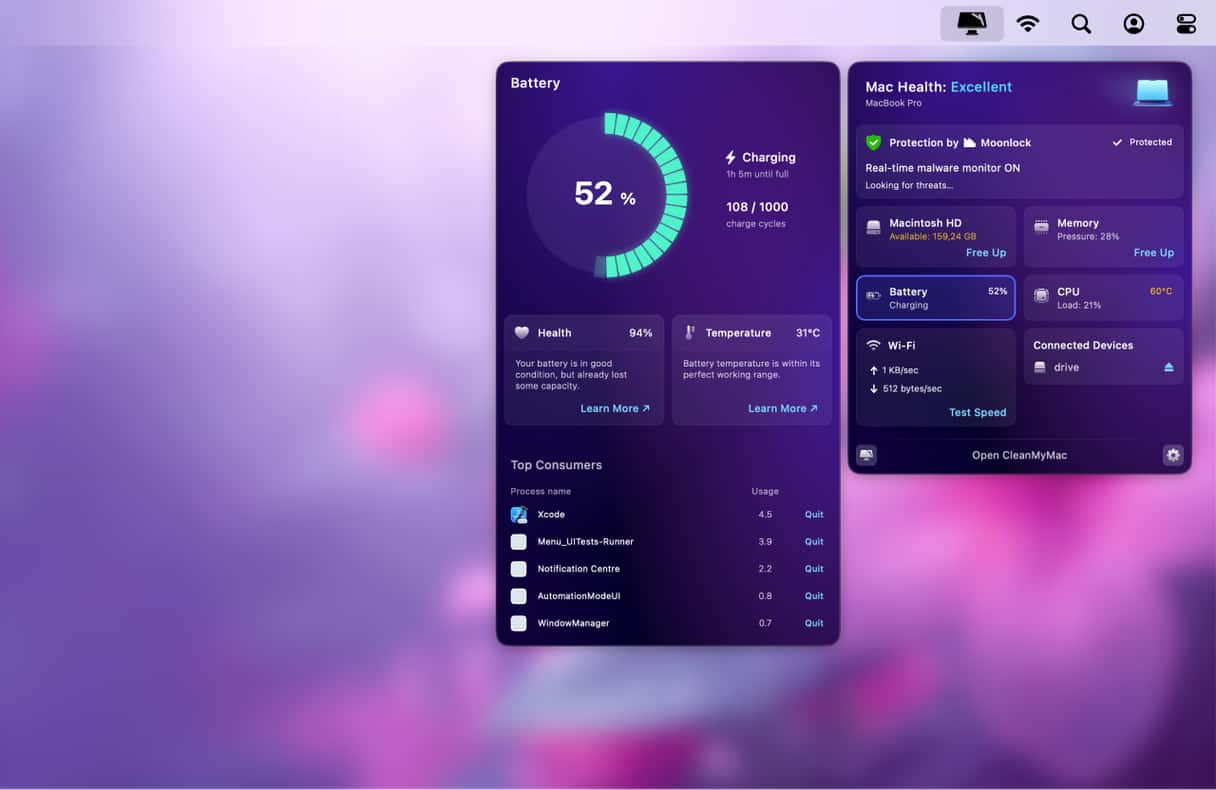
If you’re concerned about your MacBook’s battery life and want to monitor its health or temperature, the easiest way is to use CleanMyMac’s Menu App, which shows charge cycles, health %, and temperature, as well as how long it has left on its current charge, all with just a couple of clicks and without opening System Settings.
Start your free CleanMyMac trial — test this and other tools for 7 days.
Charging speed and performance
Given that the MacBook Neo is based on the same chip as the iPhone 16 Pro and that Apple has experimented with dropping the MagSafe port from MacBooks in the past, it’s no surprise that the Neo can only be charged via a USB-C port. While you can use any USB-C charger, you should connect it to one that has an output rating of at least 30W, and 20W as an absolute minimum. The higher the power delivery (PD) rating of the charger, the faster the Neo will charge.
Like the MacBook Air and MacBook Pro, the Neo’s battery is designed to be charged to 80% when it’s connected to a charger for a long period and only up to 100% when it expects you to unplug it soon. When it does that, you may see a message that says ‘Charging on hold rarely used on battery’. You can turn this optimization off in System Settings or force the battery to charge to 100% from the battery icon in the menu bar. But it’s a good idea to leave it switched on. Lithium-ion batteries last longer if they are maintained at a charge of 30-80% and shouldn’t be kept at 100% charge for long periods. Similarly, it’s a good idea not to let the battery discharge completely or remain on very low charge for long periods when you’re not using your MacBook.
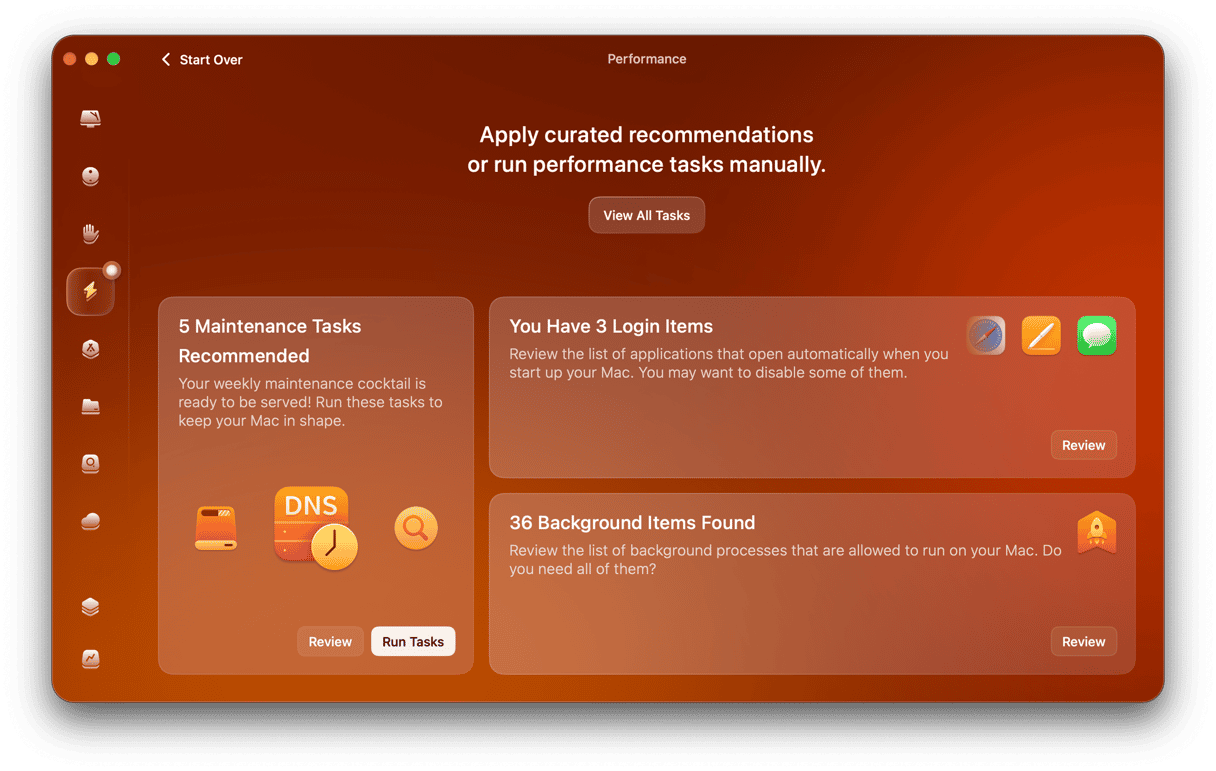
The Neo’s smaller battery (36.5Wh compared with 53.8Wh for the MacBook Air M5) is highly efficient, as you can see from the real-world results, but optimizing performance to squeeze every last hour from it is still important – especially when you’re away from a power source. One way to do that is to monitor background processes and login items, which can drain the battery without you even realizing they are running. CleanMyMac’s Performance Manager makes it easy to monitor those and disable the ones you don’t need with one click.
Long-term battery health
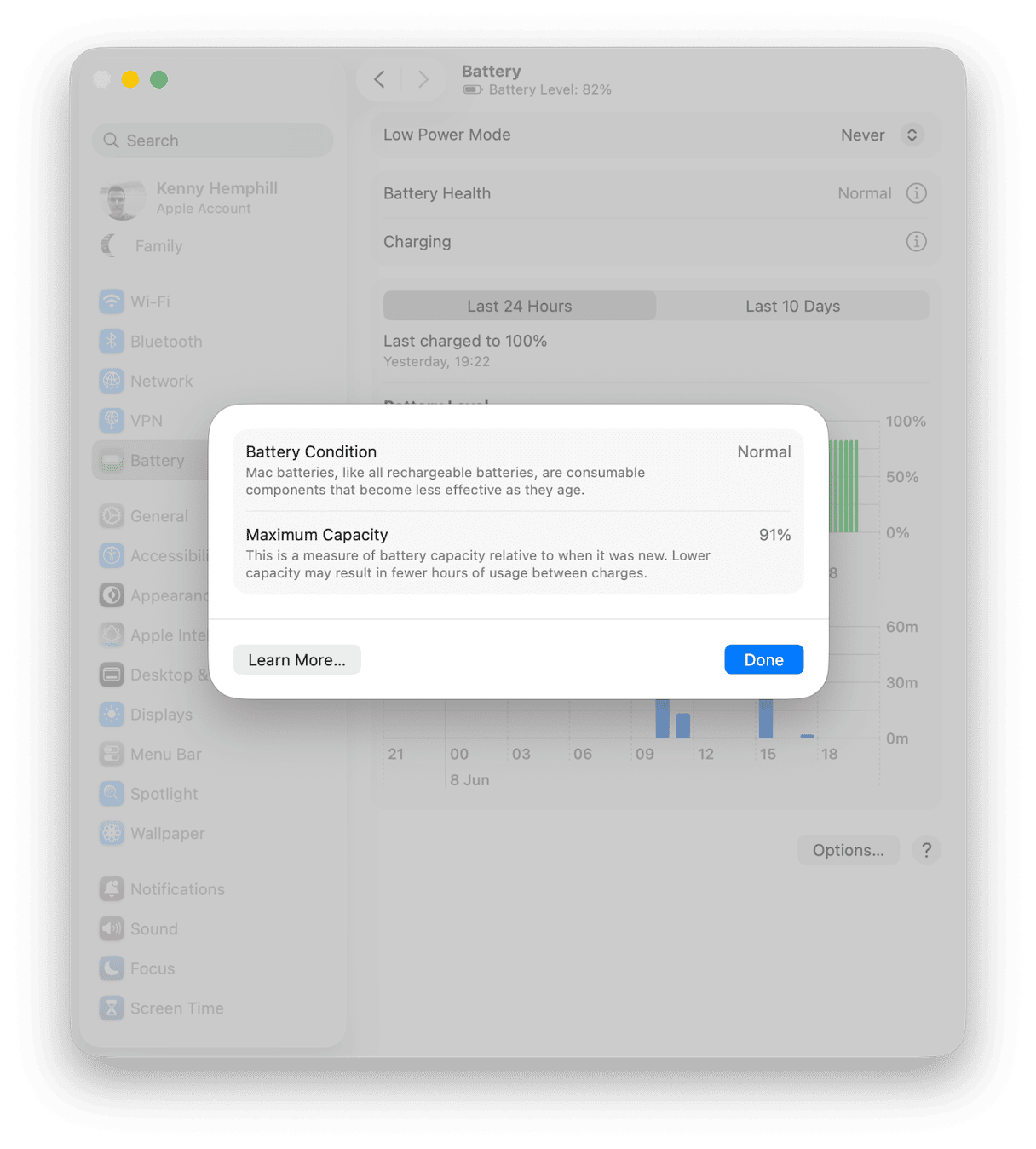
You can check the general health of your Neo’s battery in System Settings > Battery. There, you’ll see its current charging status and its current health. If you click the ‘i’ next to Battery Health, you’ll see the percentage of its maximum capacity that it’s capable of charging to. A ‘normal’ health rating is anything above 80%. If the figure is below 80%, you should consider getting it serviced.
There is another figure that’s important when it comes to your MacBook’s battery: the number of charging cycles it has completed. All Apple MacBooks since 2009, including the Neo, have a maximum of 1,000 charging cycles, after which Apple considers the battery spent. You can check how many cycles your MacBook has completed by going to the Apple menu > About this Mac > More Info > System Report. Click the Power category in the sidebar.
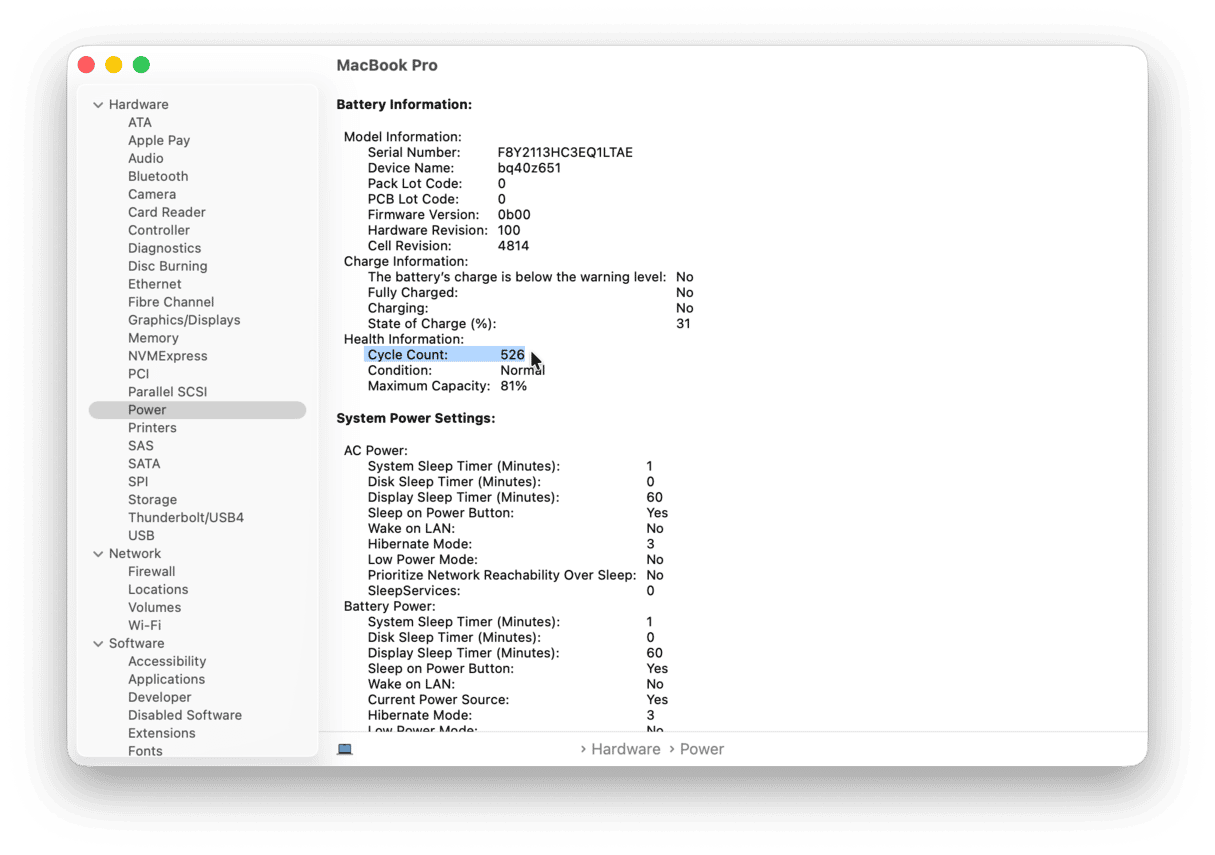
As a rule of thumb, if you charge your MacBook for two complete cycles a week, the battery should last for ten years. It’s worth remembering, though, that the Neo’s battery will complete charging cycles more quickly than the Air or Pro due to its smaller capacity.
To preserve the battery’s health and extend its life, avoid charging it to 100% when you don’t plan to use it on battery all day (optimized charging should take care of that for you) and don’t let it discharge completely. Try to store it at 50% if you don’t plan to use your MacBook for a while, and avoid using it in extreme heat.
Frequently asked questions
Is the MacBook Neo’s battery life good?
Yes. Yes, 13+ hours is excellent at that price point and is very close to the M5 MacBook Air.
Does MacBook Neo have fast charging?
No, there is no dedicated fast-charging mode. But connected by USB-C to a 30W charger will charge the battery to 100% pretty quickly. However, fast charging isn’t a feature of the Neo.
How long will the MacBook Neo battery last before degrading?
As with all MacBooks released in the last 15 years or so, Apple says the battery is good for 1,000 cycles. So, if you charge it to 100% 2-3 times a week, you should be able to go 5-7 years without noticing any degradation.