
If you're wondering whether your Mac should be on the Zillexit update, you're not alone. I saw the name pop up recently, and my first reaction was confusion, not curiosity. It didn't sound like any macOS release I'd heard of. Apple updates usually carry familiar names and version numbers, and this one felt, quite frankly, off.
I headed over to the forums and read a ton of threads from other users who'd seen the same — some who'd clicked install and others who were just playing it cautiously like me.
In this guide, I'll explain what the Zillexit update actually is, why it appears, how I verified its legitimacy, and finally, what Mac users should do to stay safe. Let's get started.
What is the Mac Zillexit update?
Short answer first. The Zillexit update is not an official Apple or macOS update.
Apple's operating system releases follow a very consistent naming pattern. You see names like Sonoma, Ventura, Sequoia, followed by version numbers and build codes. Zillexit does not fit that pattern at all.
So what is it? From my research and testing, there are three realistic possibilities.
1. A fake update or adware prompt
There are many malicious websites and adware apps that cleverly display pop-ups imitating macOS system alerts. They use phrases like "system update required" or "security patch needed" to try to pressure you into clicking Install. The goal is usually to get you to download unwanted software, browser extensions, or worse.
If you saw the Zillexit update inside a browser window or as a floating alert that did not come from System Settings, the safest bet is to assume it's fake. Close the tab immediately and do not interact with it.
2. A third-party business application
There is a legitimate company called Zillexit that provides business and CRM software. If you or your workplace intentionally installed that software, then an update notification could be valid. But it is still not a macOS system update.
This distinction matters. App updates are normal. Operating system updates are a different matter entirely.
If you recognize the app name from your company tools, the update may simply be routine software maintenance, but you might want to check with your IT team first.
3. An IT-managed device update
If your Mac is managed by an organization, your IT department can push custom updates through Mobile Device Management systems. These sometimes carry internal names that look unfamiliar or strange, but the update itself might be legitimate. If this applies to you, checking with your IT team is the safest move.
If you're not sure or you're doubting its legitimacy, below is how I verified it.
How I verified Zillexit was not a macOS update
If in doubt, here are the steps I personally took to verify if the Zillexit update was genuine.
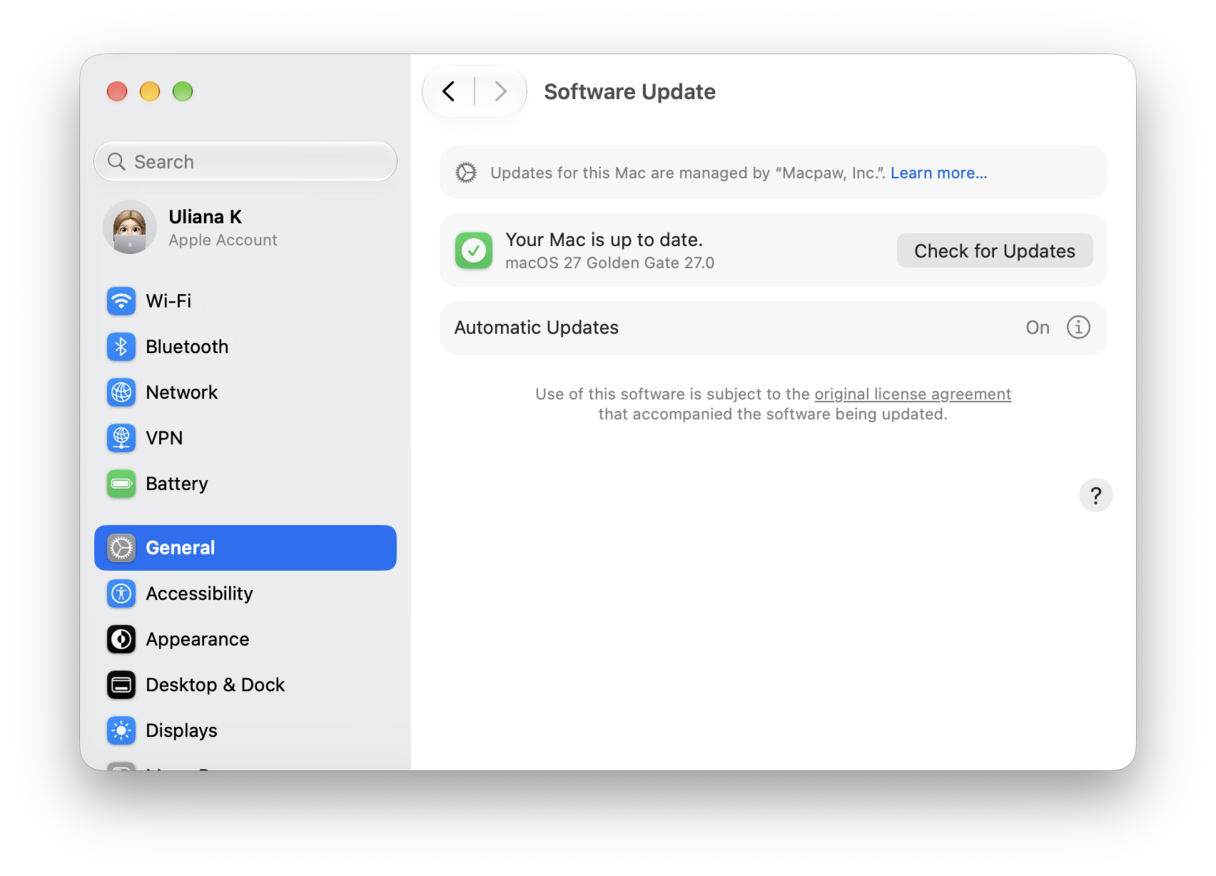
1. Check your System Settings
- Open System Settings > General > Software Update.
- Apple updates appear here clearly with macOS branding and version numbers. I saw nothing called Zillexit.
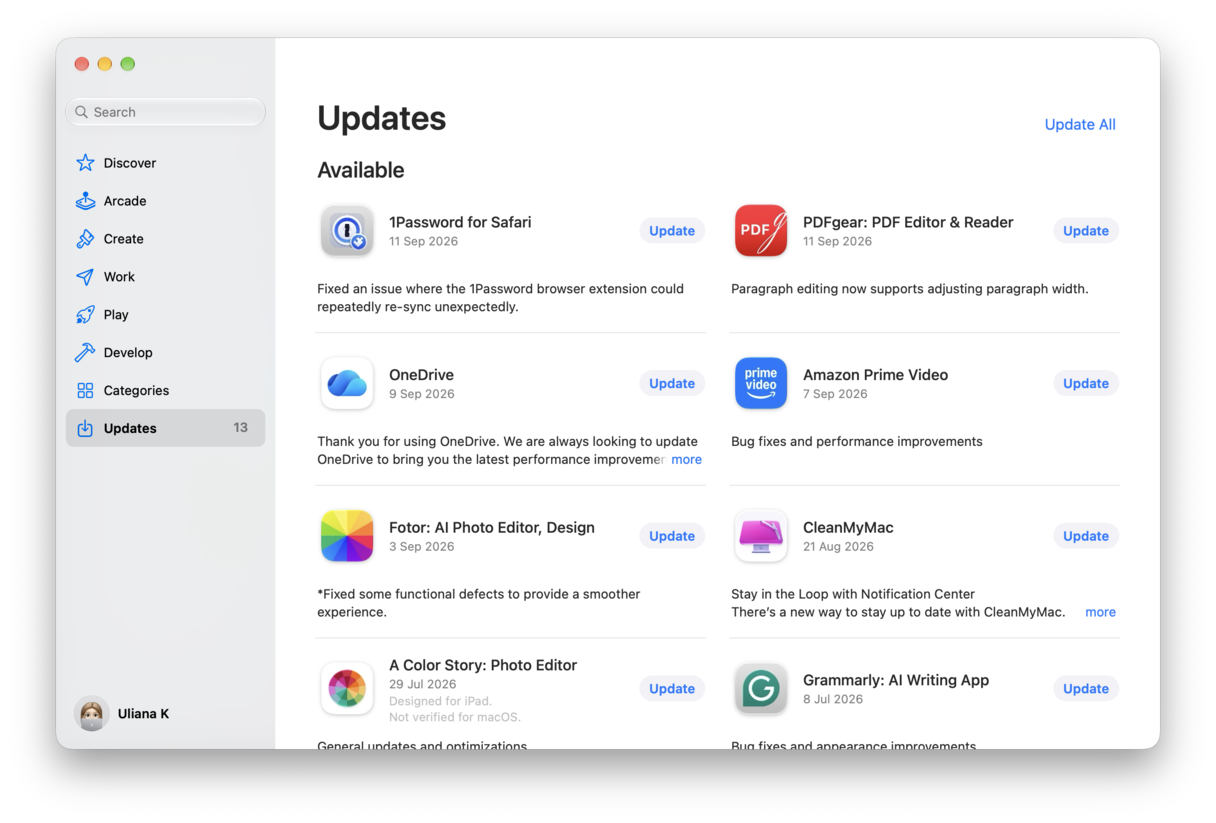
2. Check the App Store
- Open the App Store.
- Select Updates from the sidebar.
- Again, nothing here to suggest Zillexit has anything to do with Apple.
3. Check Apple’s official release notes
You can visit Apple’s official release notes and developer channels. I saw no mention there either.
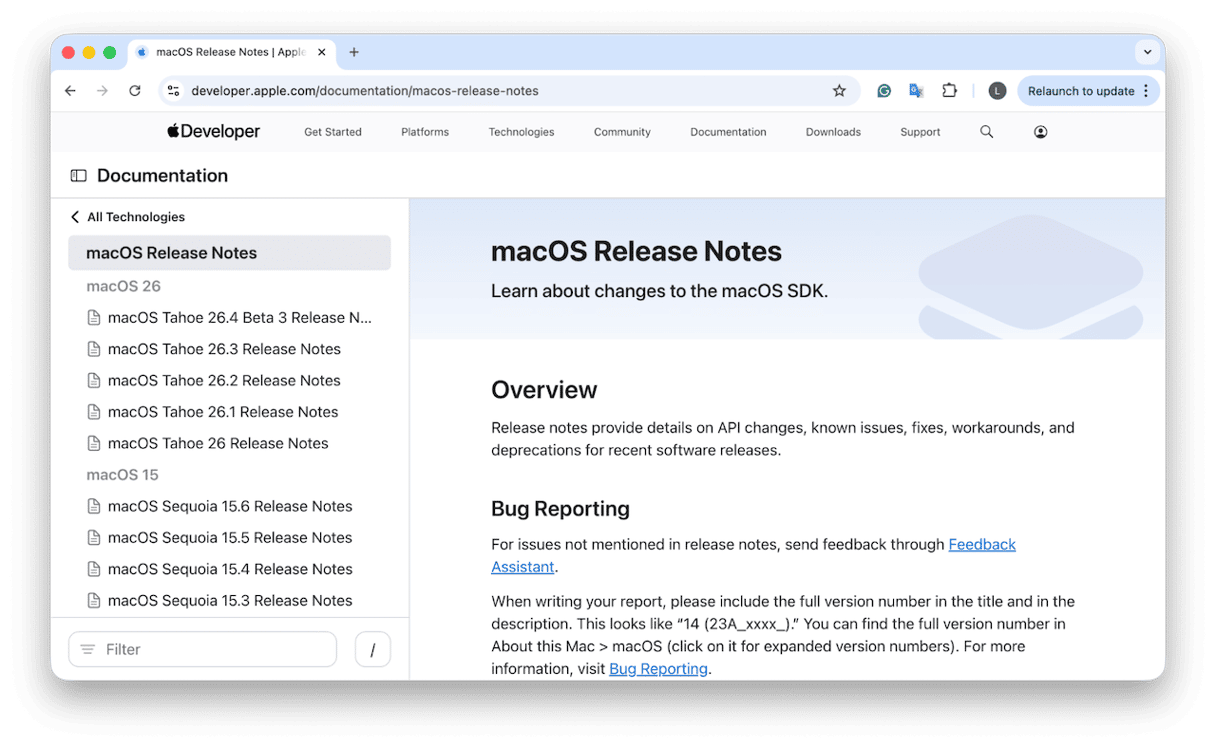
That was enough for me. Apple does not ship updates quietly under unrelated names.
Should my Mac be on Zillexit update?
So if you're asking what you should do if you've seen the update notification, that depends on where you saw it. I'll walk you through the various scenarios.
If you saw it in a browser pop-up
- Close the tab immediately.
- Do not click Install, Update, or Allow.
These prompts are almost always scams designed to trick users. I treat browser-based system updates as serious red flags. Real macOS updates do not arrive through random web pages.
If it appears in System Settings
This case would be really unusual. As we've already confirmed, this name is not used by Apple. It points to something more like a third-party tool that may already be installed. I would not install anything until I confirm what it is.
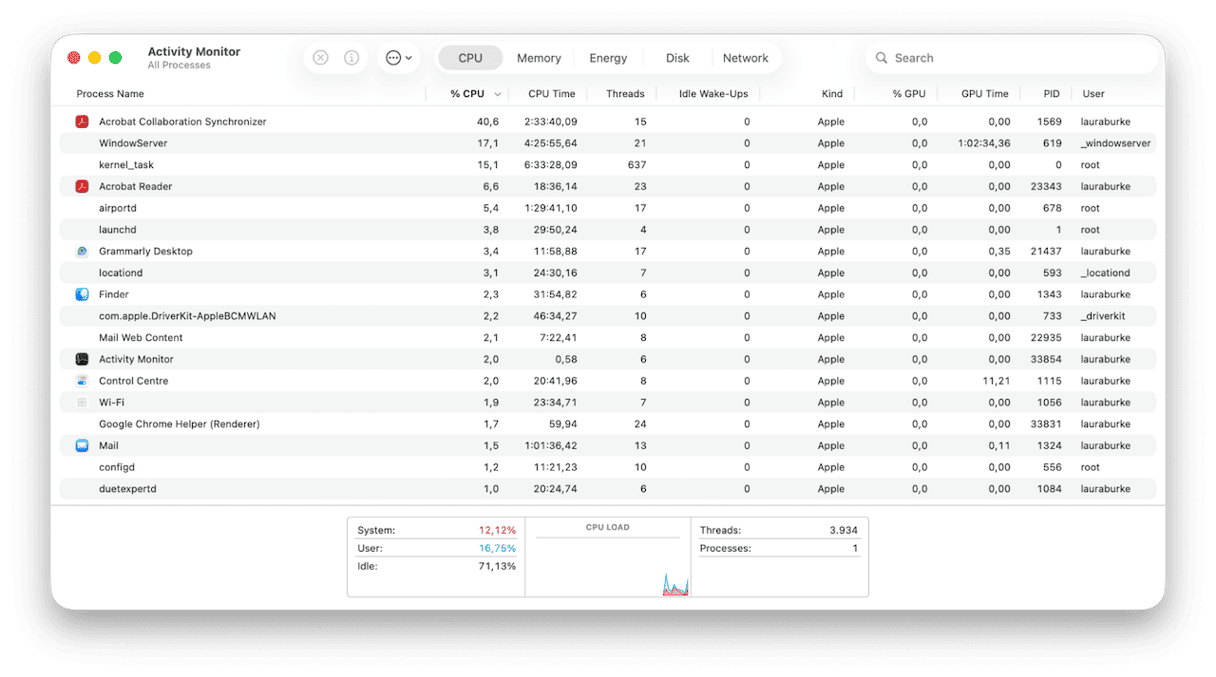
You could use Activity Monitor to see what's running on your machine, then jump to the step below for how to handle this.
Run a safety check
Wherever you encounter this unknown update prompt, you need to scan your system. A trusted, purpose-built security tool will help you identify any suspicious files or adware that may be generating fake alerts.
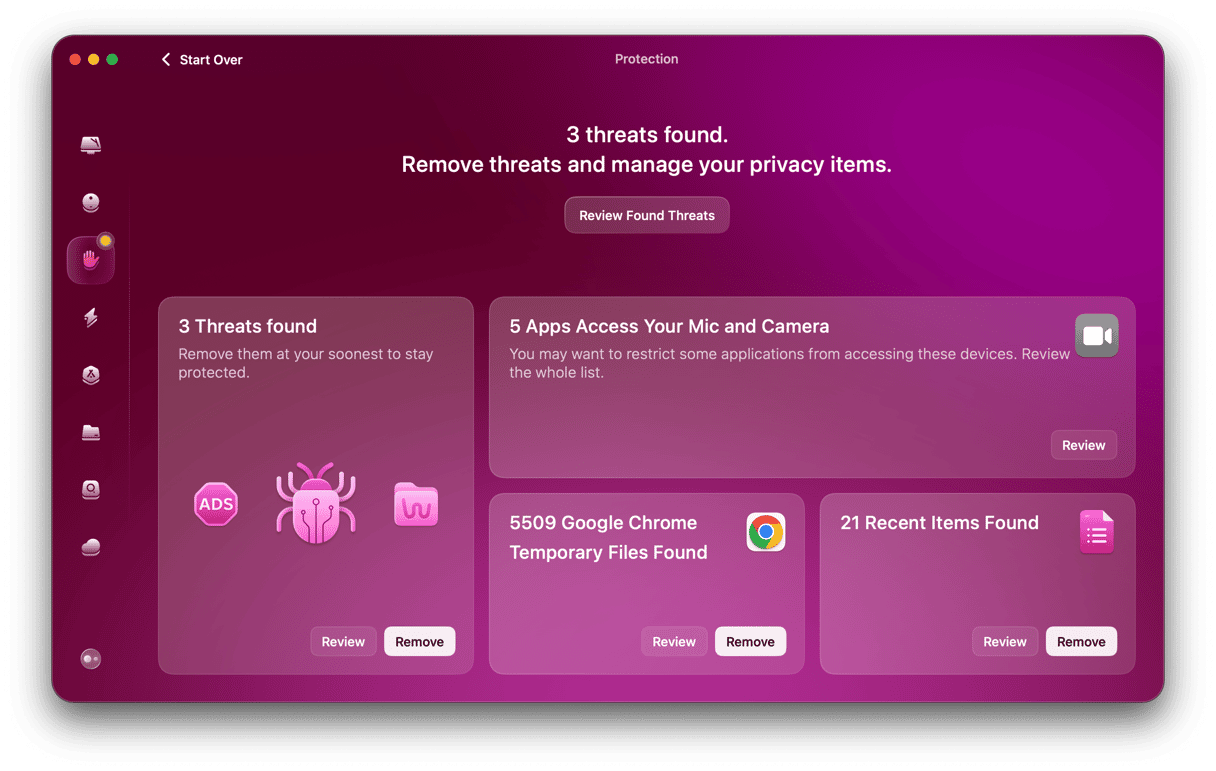
I use the Protection feature from CleanMyMac, which runs a quick but deep scan and can quickly indicate any vulnerabilities. Here's how:
- Start your free CleanMyMac trial; it’s free for seven days.
- Open and click Protection > Scan.
- Once complete, you’ll see a dashboard that gives you a total overview of your Mac’s security. If any Malware is found, handle that first.
- Next, click Manage Privacy Items, pay attention to the items found in the Privacy section, and remove what's not needed.
Only use official update channels
It might sound obvious, but never download any kind of macOS updates from a random website. Official updates always come via System Settings, the App Store, or verified developer portals.
Should my Mac be on the Zillexit update? Well, hopefully, after reading this article, you know not to click on Install.
Frequently asked questions
Can clicking a fake update pop-up damage my Mac instantly?
Usually, the real risk comes from downloading and running what it offers. Simply seeing the pop-up does not infect your system.
Why do fake update alerts look so realistic now?
Scam designers replicate macOS design elements on purpose, to build trust and urgency, and as we can tell, they're getting really good at it.
Are Macs immune to update-related malware scams?
No. macOS has strong protections, but it is by no means immune to threats. That's a bit of an old Mac myth that surprisingly still persists today. I would even recommend using an additional, legitimate third-party security tool.
Can browsers block fake update prompts automatically?
Some browsers reduce malicious pop-ups, but not all threats are filtered, so you still need to browse with great caution.
Could a browser extension be causing the Zillexit update alert?
Absolutely. Some browser extensions inject their own notifications or redirect pages that mimic system messages. If the alert only appears while you're browsing and disappears when the browser is closed, an extension may be responsible. Reviewing recently installed extensions and removing unfamiliar ones can stop these alerts.