
If you’ve been using CleanMyMac for a while, you probably have a few tools you use again and again. Maybe it’s Uninstaller to remove apps you no longer need or Duplicate Finder to free up space. Whatever your favorites are, the routine is usually the same: you open the app, choose the module, scan your Mac, and then optimize it with the right tool.
Many of you asked for a quicker way to get there. So we made one.
Meet My Tools — a dedicated space that brings your most-used tools together in one place, easily accessible from the sidebar.
What is My Tools?
Think of it as a curated shortcut panel filled with everything you need to keep your Mac clean, safe, and running smoothly — without any extra digging around.
All the tools you know and love are here: Uninstaller, Duplicate Finder, Space Lens, Login Items, and more. The difference is that now they're all in one place, organized exactly the way you want them.
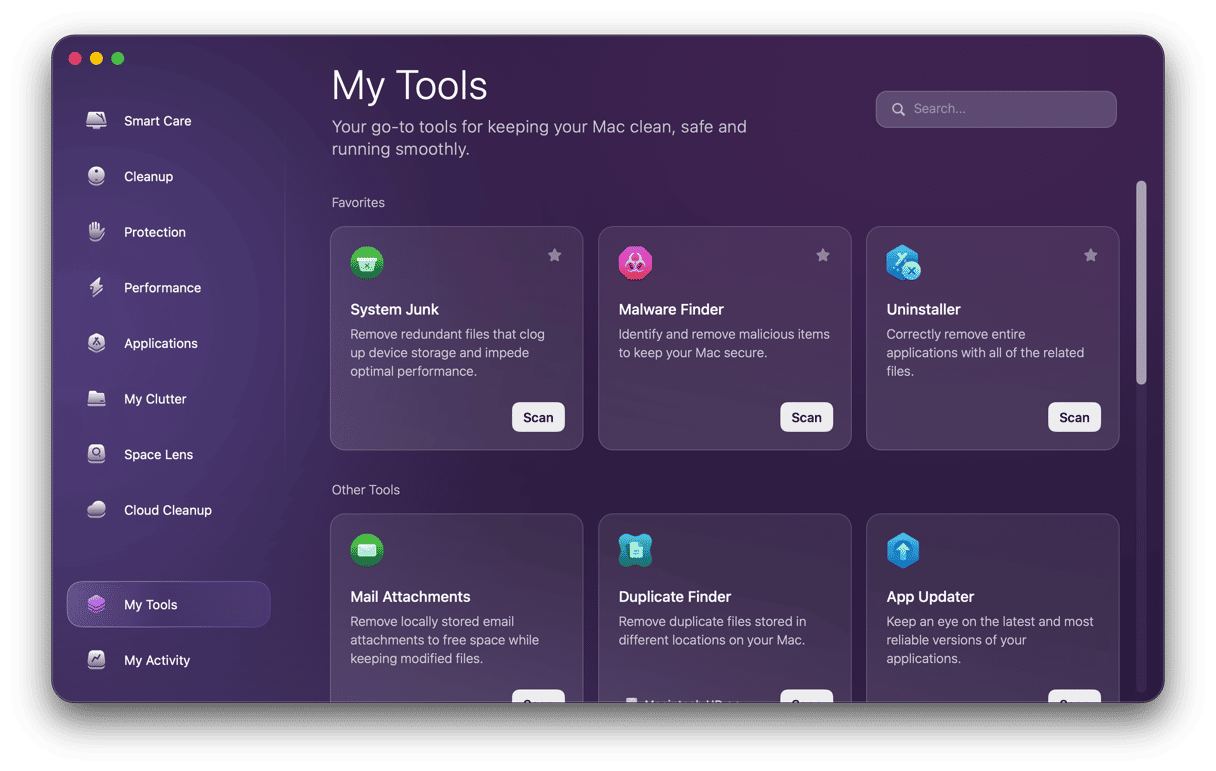
How it works: Your tools, your way
When you click on My Tools, you'll find two sections:
- Favourites — These are the tools you've starred. Tap the star icon near any tool to save it here and make it instantly accessible.
- Other Tools — All the remaining tools live here, ready to use whenever you need them.
And if you're looking for something specific? There's a search bar right at the top. Just start typing the name of the tool you need, and it'll appear in seconds. No scrolling, no hunting around.
Keep your Mac tidy with ease
We’re always looking for ways to make CleanMyMac feel more personal and easier to use. My Tools is a big step in that direction. It helps you work faster by putting your favorite tools in one convenient place. No extra steps, just quick access to what you need.
Your Mac needs regular care, and managing it shouldn’t feel complicated. With My Tools, your essential utilities are always within easy reach.
Try it out and let us know what you think!