
When Apple launched the MacBook Air M5 in March 2026, it also addressed an anomaly in the MacBook Pro range. While the entry-level MacBook Pro 14in was available with an M5 processor, the 14in MacBook Pros with Pro and Max chips, and 16in MacBook Pros were stuck with the M4 variants of the Pro and Max. Now, though, every MacBook, save the Neo, has a variant of the M5 — Apple’s fastest and most powerful chip. So, it’s a great time to ask: Is it worth upgrading to an M5 MacBook? Whether it’s your first MacBook or you have an M4 or older MacBook you love, it’s a question you’ll be asking yourself. And we’re here to answer it.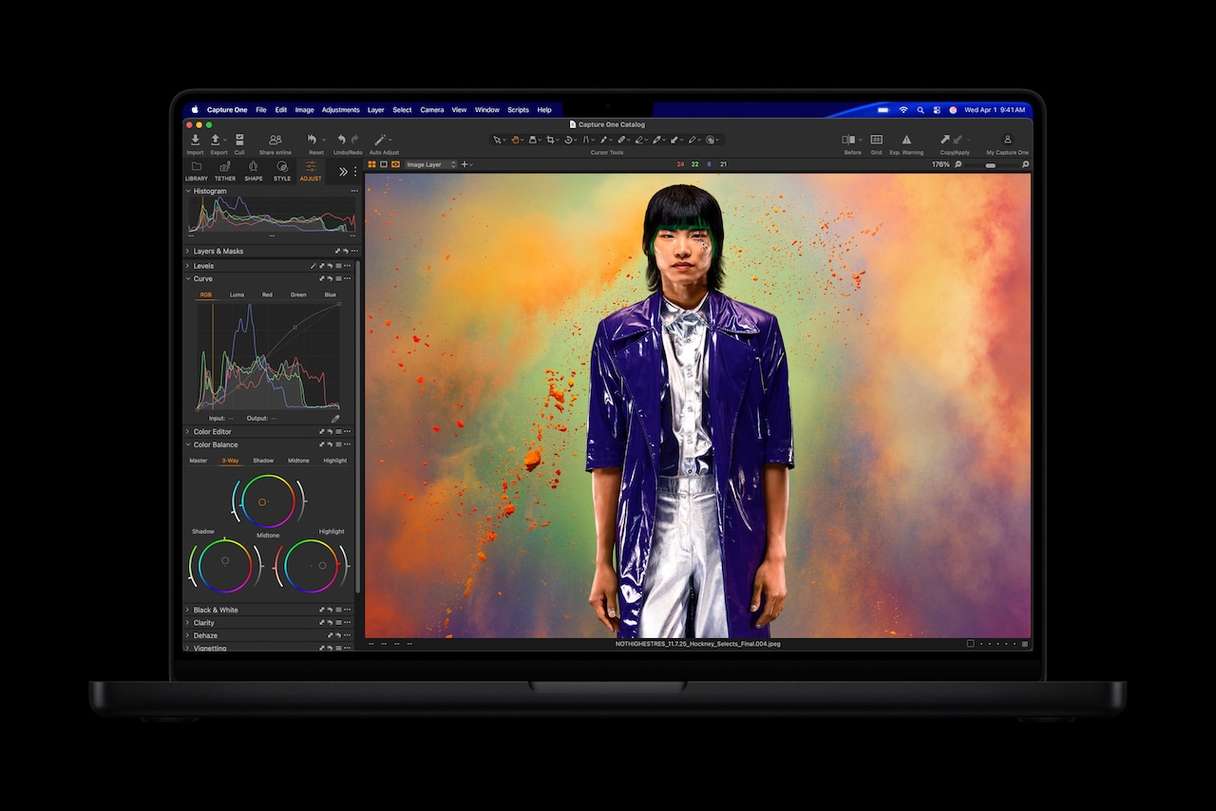
M5 vs M4: what’s new?
It’s easy to get carried away when you read details of a new piece of Apple Silicon, but what does it actually mean in the real world? Will it make a substantial difference to you? The best way to answer that is to look at test results. Those make it clear that the M5 is a big upgrade on the M4. Apple claims that the M5 is up to 45% faster in terms of graphics performance and 15% faster in multithreaded CPU performance. Test results more than back up the CPU claim. Some Geekbench results on the MacBook Pro M5 show it 25% faster than the M4. Graphics performance results don’t match Apple’s claims, though. Cinebench and 3DMark Wild Life Extreme results show the same machine performing around 30% better.
CPU and GPU performance aren’t the only improvements, though. Memory bandwidth has also been beefed up, so data travels more speedily between CPU/GPU and RAM, which makes an M5 feel smoother and speedier.
MacBook Air M5 review — who is it for?
Looking at the table of MacBook Pro models, one thing stands out, particularly for the Pro and Max models — the eye-watering price tag. So, the first answer to the question ‘Who is the MacBook Air for?’ is: anyone whose budget won’t stretch to a MacBook Pro but wants more power than the MacBook Neo. But, if you look closely at the 14in Pro specs and price, you’ll see that it’s not that much more expensive than the 15in Air, especially if you upgrade RAM or storage on the Air. So, the other group of people who should be looking at the Air is those who spend a lot of time traveling and so need a laptop that’s light and easy to carry around, but who also need a reasonable amount of power, a good-sized screen, and decent battery life. The lack of a fan in the MacBook Air shouldn’t be overlooked either. It makes it great for shared environments where keeping the noise down is important, but less suitable for places where the ambient temperature is high.
MacBook M5 — real-world performance
Specs and test results are all very well, but the most important consideration when you buy a new MacBook is how well is it going to perform when it’s doing the things you need it to do? Will its battery last all day? Will it get frighteningly hot? Will it make me more productive?
The good news, as far as the MacBook Pro is concerned, is that it still has the best battery life of any comparable laptop. Real-world tests have shown that you will comfortably get a full day from the battery even if you spend the whole day editing video in Final Cut Pro or batch processing images in Lightroom. The same is true if you spend the day streaming video, using a web browser, or playing games.
The MacBook Pro speakers have features like spatial audio and the ability to match the reference profile of studio monitors, which means you can use them for recording and editing in Logic Pro without the need for headphones.
Performance-wise, the M5 MacBook Pro handles multilayered high-resolution Photoshop documents smoothly and 8K video timelines in Final Cut Pro X effortlessly.
The new fan design in the M5 MacBook Pro means that surface temperature is lower than that of comparable laptops, and the fans are barely audible.
Price | Base RAM | Base storage | Battery life (up to) | |
MacBook Air 13in | $1,099 | 16 GB | 512 GB | 18 hours |
MacBook Air 15in | $1,299 | 16 GB | 512 GB | 18 hours |
MacBook Pro 14in | $1,699 | 16 GB | 1 TB | 24 hours |
MacBook Pro 14in Pro | $2,199 | 24 GB | 1 TB | 22 hours |
MacBook Pro 14in Max | $3,599 | 36 GB | 2 TB | 20 hours |
MacBook Pro 16in Pro | $2,699 | 24 GB | 1 TB | 24 hours |
MacBook Pro 16in Max | $3,899 | 36GB | 2TB | 22 hours |
M5 vs M4 — should you upgrade?
As you can see, the MacBook Pro has some impressive performance improvements over the M4. However, if you own an M4 MacBook, especially if it’s an M4 Max or M4 Pro MacBook Pro, there’s probably not enough of a performance boost to warrant writing off your current machine and investing in a new model. The one exception may be if you’re running generative AI models locally — the higher memory bandwidth and faster GPU will really benefit you. For owners of M3 or older models, it’s less clear-cut. Certainly, if your MacBook is an M1 or M2 model, it’s well worth the uplift. That’s the case whether you own a 13in MacBook Air, a 16in MacBook Pro, or anything in between.
If you’re thinking of buying your first MacBook, an M5 model is a good choice. Not only will you get the best performance available at the price point, but you’ll also benefit from faster memory and storage and, depending on the model, more storage in the base model.
Which M5 MacBook should you buy?
MacBook Air | MacBook Pro | MacBook Pro M5 Pro | MacBook Pro M5 Max | |
Who should buy it? | Students and light users | Those who need longer battery life and a better screen | Power users who want a balance of performance and cost | Power users for whom budget is not an issue |
MacBook Air
The MacBook Air is the perfect laptop for students, those who want a Mac to use when they travel so they can work on the road, or anyone who wants a laptop for writing, web surfing, or light gaming. Whether you choose the 13in or 15in model is likely to come down to whether you need a larger screen for gaming or photo/video editing. If not, the 13in model will be just fine, especially if you regularly hook it up to an external display.
MacBook Pro M5
The main reason for choosing the base M5 MacBook over the Air is battery life. According to Apple’s figures, you’ll get an extra six hours from the Pro’s battery compared with the Air. The other reason is the screen. While the 14in Pro has a physically smaller screen than the 15in Air, it has more screen space, thanks to its increased pixel density. The Pro’s screen is also brighter and has higher refresh rates than the Air.
MacBook Pro M5 Pro
If you want the biggest possible screen on a MacBook, the MacBook Pro 16in Pro is the model to choose, as there is no regular 16in MacBook Pro. The 14in MacBook Pro also has an M5 Pro variant. Both models have more CPU and GPU cores than the 14in MacBook Pro M5 and, importantly, higher memory bandwidth. The 14in M5 Pro has slightly lower battery life than the M5, but the 16in M5 Pro matches that model. The M5 Pro is the MacBook to choose if you need more power than the regular M5, say for running AI models locally, but can’t justify the significant extra expense of the M5 Max.
MacBook Pro M5 Max
If nothing but the fastest, most powerful MacBook will do, the M5Max is for you. The M5 Max is the most impressive chip Apple has ever made, with 18 CPU and 32 GPU cores. All that power does shave a couple of hours off the maximum battery life, so that’s something to consider if you’re likely to be away from a power source for an extended period. Otherwise, if your budget can stretch to it, there is no more powerful MacBook.
Keep your new MacBook running at its best
There’s nothing like the feeling when you buy a new Mac and start using it. The speed, the way windows snap open and close, and menus smoothly glide into view. Web pages load instantly, and animation is buttery smooth. Sadly, that doesn’t last forever, unless you take steps to keep it running at its best.
And if you use Migration Assistant to transfer files to your new Mac, it doesn’t just transfer all your important documents; it moves all the junk and clutter, too. And even if you don’t use Migration Assistant and start with a clean slate, the junk soon accumulates. So, consider cleaning up your MacBook: either the old one before transferring your data or the new one after completing the migration or setting it up.
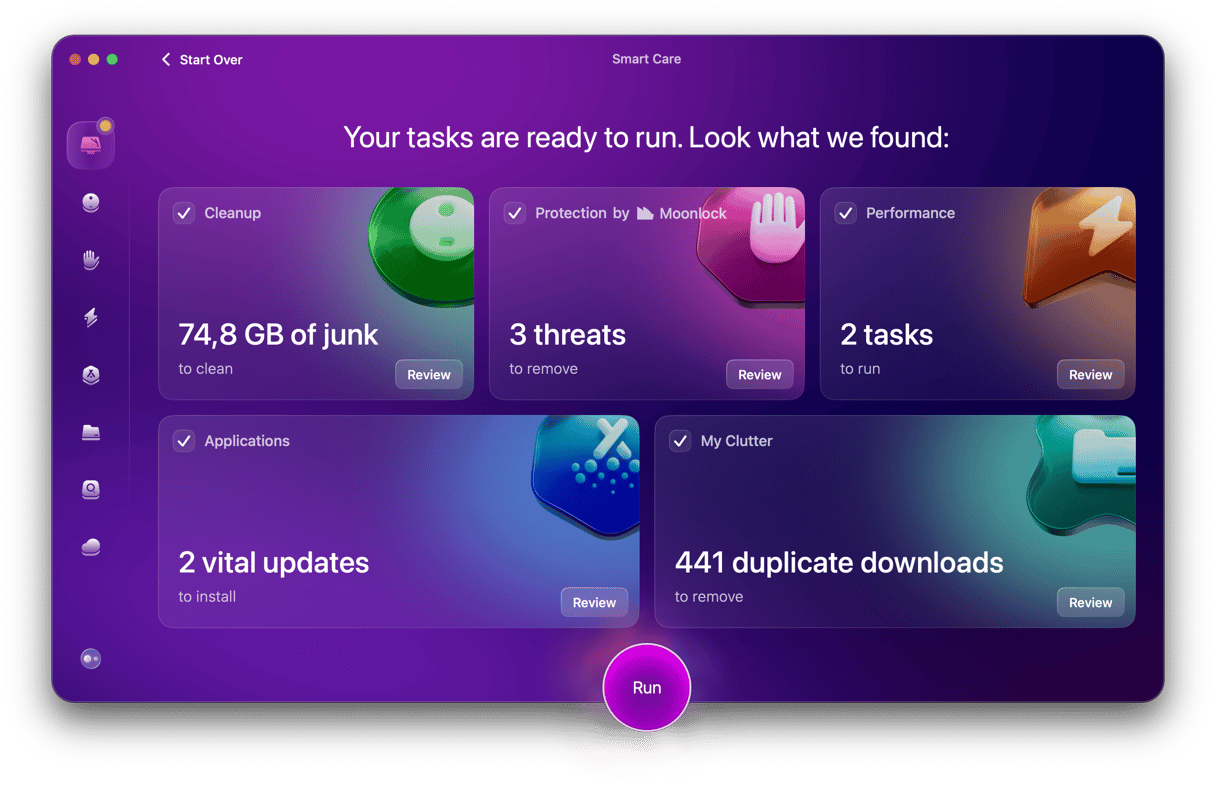
Not sure where to start? That’s where CleanMyMac comes into play — its Smart Care feature scans your Mac looking for all those old cache and temporary files you don’t need, along with files left over from apps you thought you had installed and anything else that could slow your Mac down. It takes just a couple of clicks from you and about 60 seconds once every few weeks to keep your Mac running smoothly.
Here’s how to do it:
- Start your free CleanMyMac trial — you can test it for 7 days without any limitations.
- Open it and choose Smart Care in the sidebar.
- Hit Scan, then Run.
MacBook M5 review: Final verdict
Should you buy a MacBook M5? If you’re in the market for a new laptop, absolutely yes. The only decision to be made is which one. There is no better laptop available in terms of performance, build quality, or portability. If you have a MacBook that you’re happy with and that does everything you need, the answer is trickier. You won’t notice a huge performance improvement over the M4 range, and so if you have an M4, the answer is probably no. M1, M2, and M3 owners will see a bigger performance gain. For those users, the only remaining doubt is whether it’s worth hanging on another year or so to see if there is a significant redesign. If you’re in that camp, it’s worth remembering that any redesign won’t necessarily be positive from your point of view, that it may well be two years or more before it happens, and that component prices are rising, and so a redesigned model may be even more expensive. If the current range does everything you need it to do, don’t put off upgrading in the hope that something even better may come along. Upgrade now and start enjoying the benefits.