

If you cannot reset security questions on your Apple ID, then you’re probably either very confused or very concerned.
Lots of users still haven’t realized that Apple actually ditched the security questions as an Apple ID security method back in 2023. It got superseded by two-factor authentication (2FA). If you’re still able to reset them, then you’re running a legacy account.
Anyway, I’m here to help. I’ll walk you through what your recovery options are and help you get back into your account. I won’t be suggesting any third-party app reset tools in this article, and if you’ve already downloaded something that claims it can help you unlock your Apple ID, be careful; these are almost always scams. The only way you can rest or get back into your account is via official Apple routes. I’ll cover them all.
Why can’t I reset security questions?
So, as I mentioned above in the intro, Apple phased out security questions in 2023. 2FA is a much more secure way of accessing and resetting your account.
If you’re on a legacy account, you might still be able to see them, but what you’ll soon discover is that they can’t be reset through your normal settings anymore.
Here are the options you’ve got left when you cannot reset security questions.
How to fix it if you cannot reset your Apple ID security questions
Fix one: Reset via a trusted device or phone number
When you cannot reset security questions for Apple ID, start with a trusted device or phone number. On a trusted iPhone or iPad, go to Settings > your name > Sign-In & Security > Change Password. On Mac, open System Settings > your name> Sign-In & Security > Change Password.
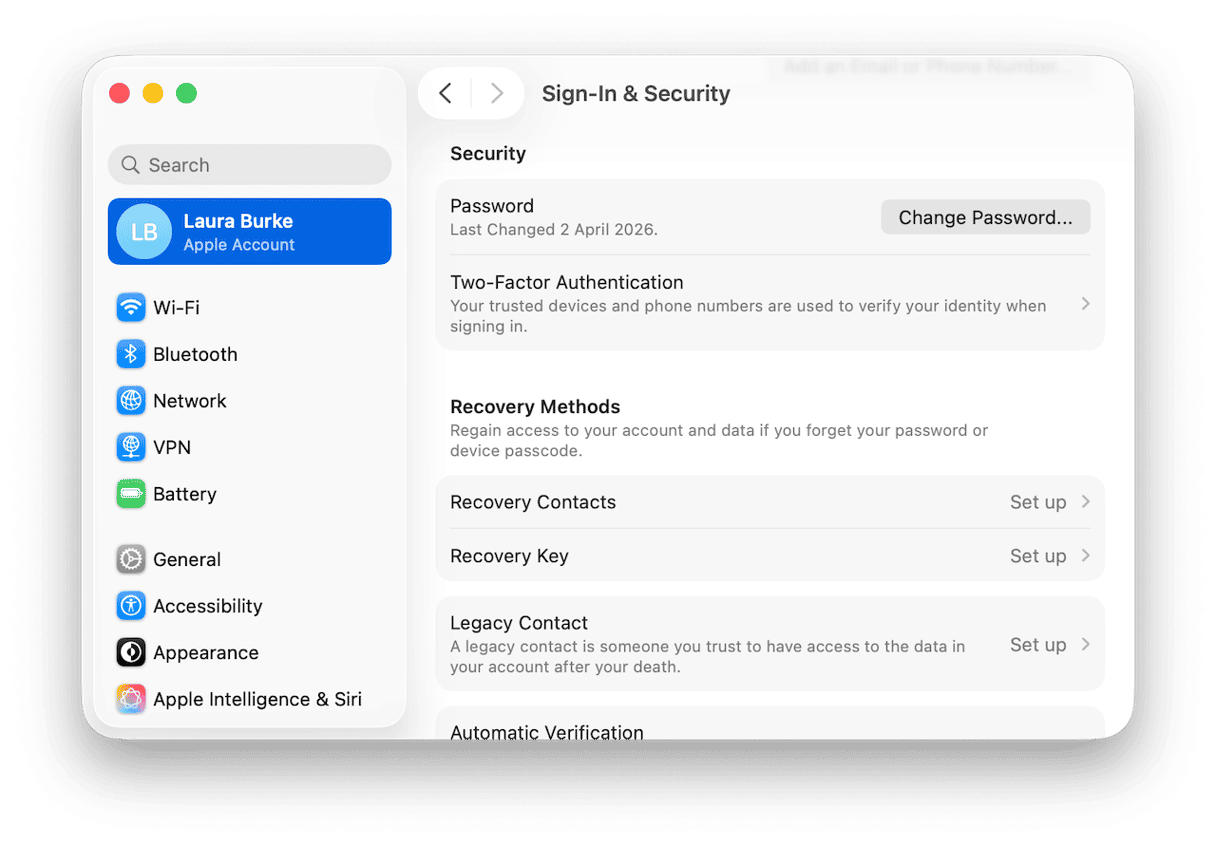
Complete all the prompts, you’ll need to confirm your device passcode or Mac password, then create a new Apple ID password.
If asked, choose to verify through your trusted phone number, but that, of course, only works if you still have access.
Fix two: Use Apple web recovery
If you do not have a trusted device, you can go to iforgot.apple.com and enter your Apple ID email address or phone number. Again, complete the prompts and steps to verify your identity.
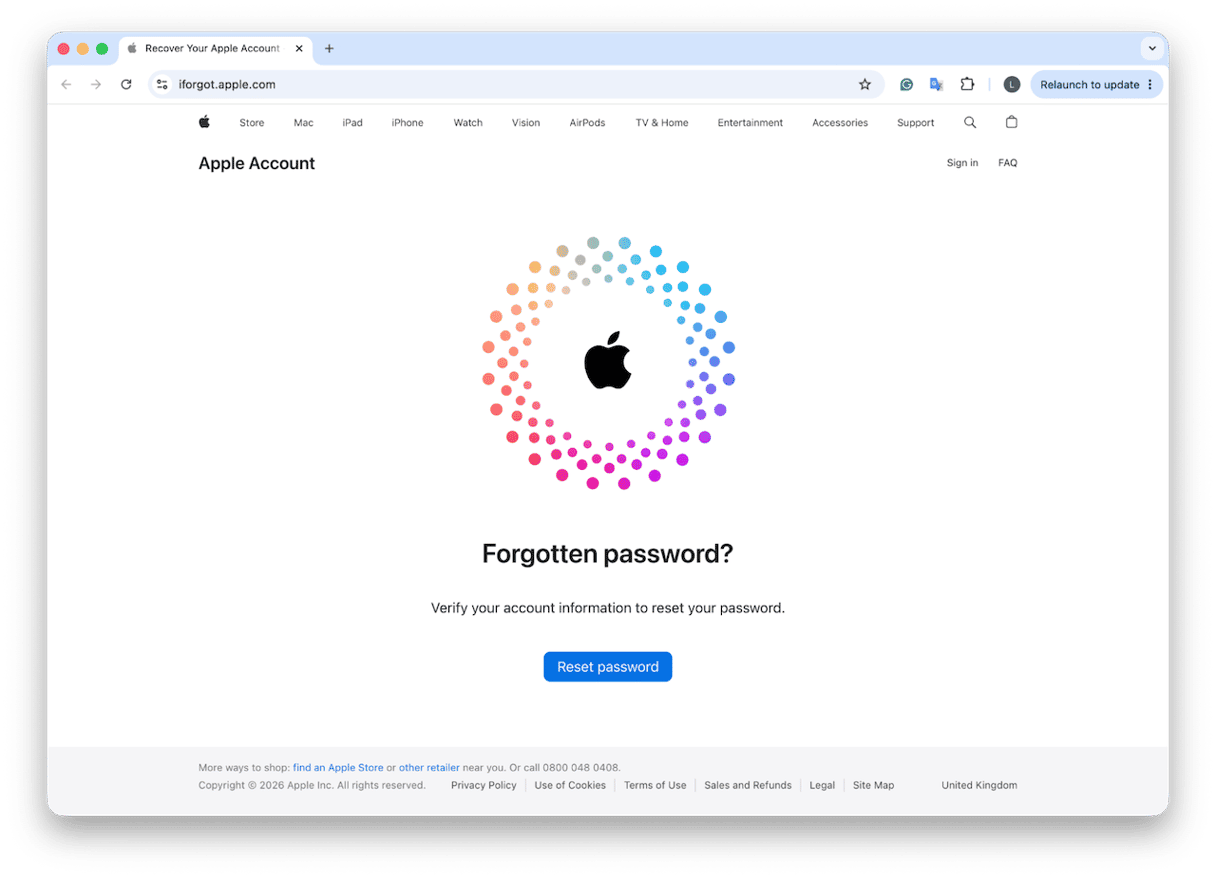
It’s not unusual that Apple might ask for either your trusted phone number, recovery email, or other account details before allowing you to do the password reset.
If you don’t have access to any trusted number, you’ll need to pick another account recovery option, but honestly, this can take several days, because Apple needs time to verify that the request is genuine.
While this is being verified, don’t make a new Apple ID — it can complicate the situation.
Fix three: Apple Account Recovery (no trusted device or number)
Issues with Apple ID cannot reset security questions are made even more challenging when you don’t have a trusted device or number, so Apple Account Recovery is your last resort.
Go to iforgot.apple.com and follow all the prompts until you’re offered account recovery, or read Apple's official support page here.
You’ll have to submit a recovery request and wait while Apple verifies your identity. It’s normal for this to take up to a week. Apple will usually tell you when you can expect access to be restored. While you’re waiting, don’t keep trying to reset or gain access, because it’ll only delay the process. You’ll get instructions from Apple once approved on how to regain access and set a new password.
Fix Four: Reach out to Apple
You can also contact Apple Support, if all else fails, but make sure you’ve got your original proof of purchase handy, plus a few other important pieces of “proof” like your device serial number, even your billing details and your trusted phone numbers, and recovery email addresses.
Apple ID locked for security reasons
If your Apple ID has been locked for security reasons, it basically means Apple detected too many failed sign-in attempts or incorrect security question answers, and in some cases, suspicious activity. You need to verify your account, so you’ll have to go to iforgot.apple.com and follow all the unlock steps using your trusted device, your trusted phone number, or your recovery email.
Cannot reset security questions: Aftercare
Once you get into your account, I’d take a few minutes to check if your device is compromised in any way, and this isn’t to try and scare you, it’s just worth taking the time to check for any Malware on your device, rogue browser extensions, or adware that's managed to get hold of your Apple ID credentials.
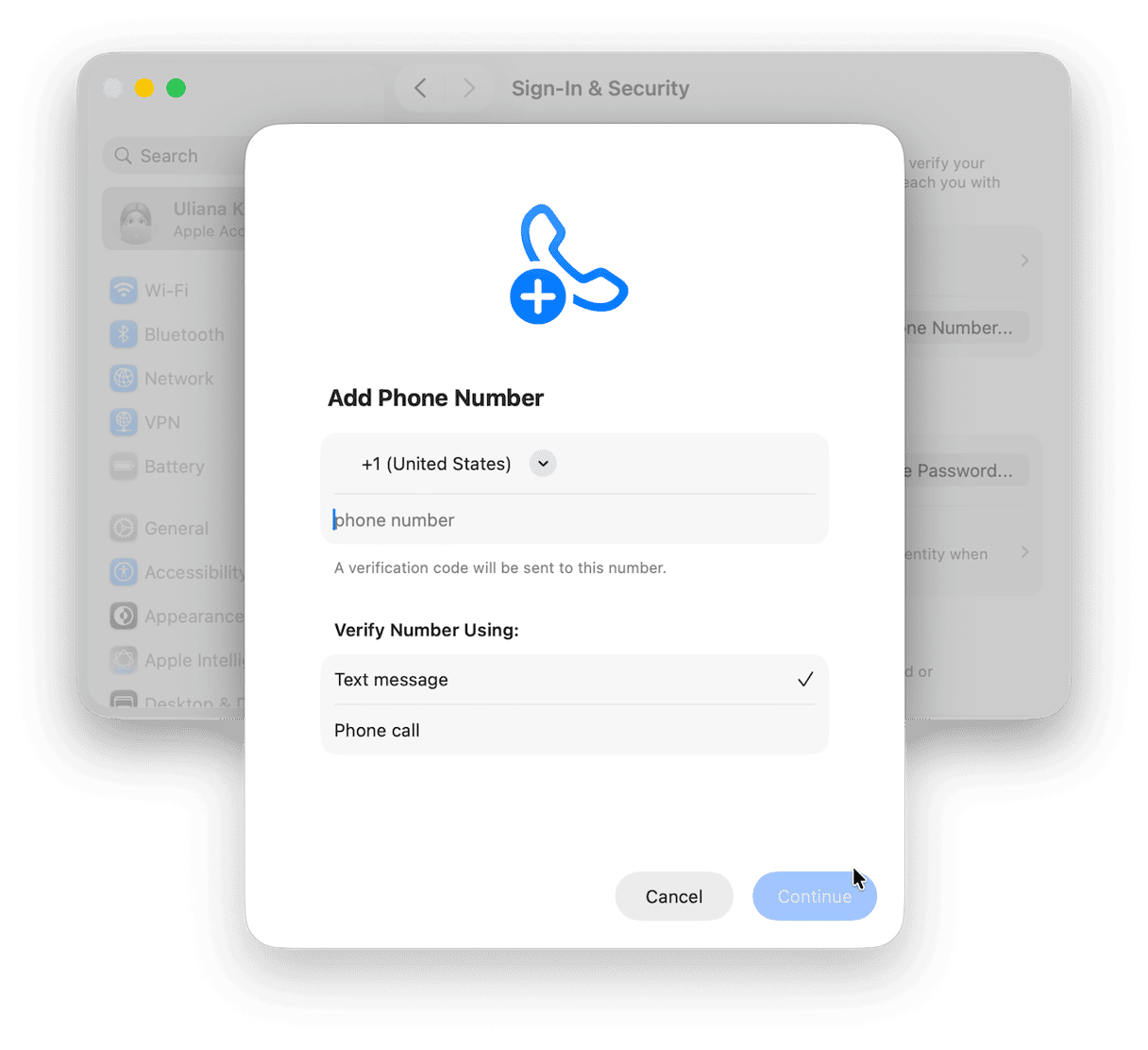
In your Mac system Settings > Your Name > Sign-In & Security, check your trusted phone numbers and check your two-factor authentication set up, making sure devices and numbers are up-to-date and what they should be. You can add another trusted contact here.
I now use the Protection feature from CleanMyMac, too; it’s not an Apple ID manager, but it does help keep on top, in real time, of any Mac-targeted threats that can put accounts at risk, including unwanted adware, even browser hijackers and malware.
You can test it out for seven days — get your free trial here.
Then, open the app and go to Protection > Scan.
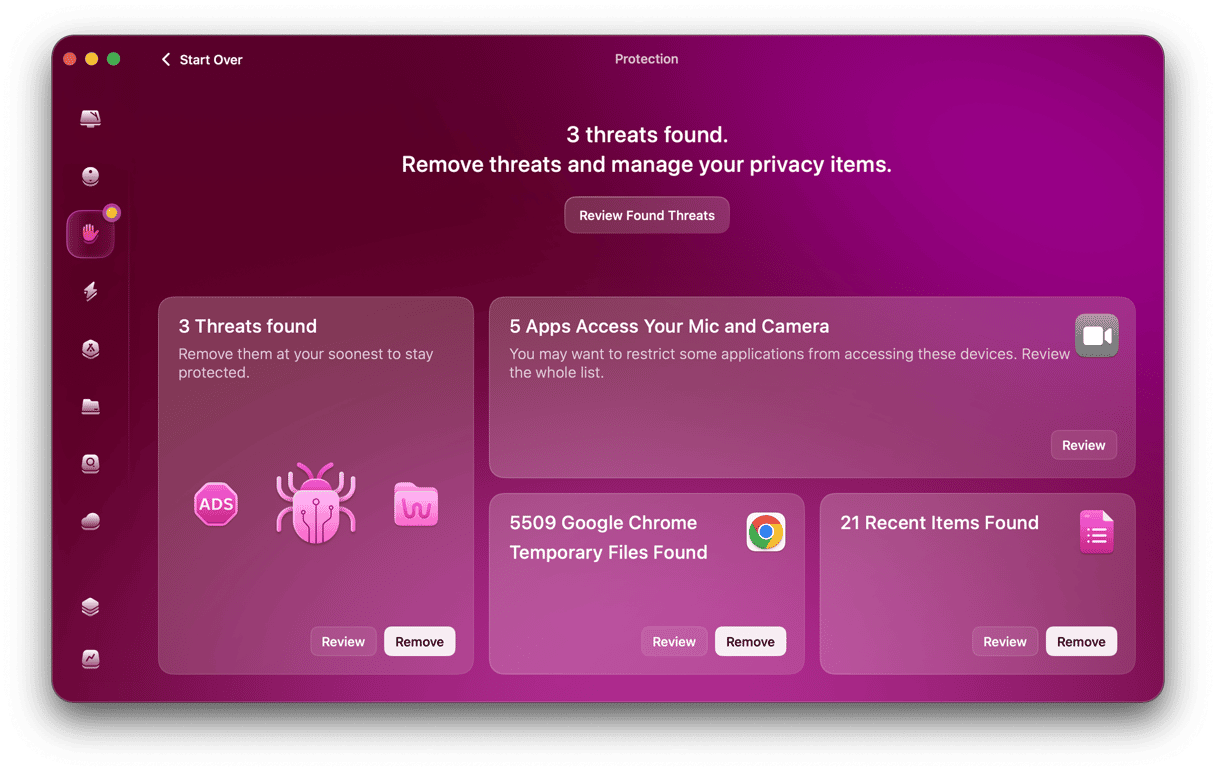
It’s a bit like an extra security layer.
If Apple cannot reset security questions, the right path is going to ultimately depend on what access you still have. If you can, always use a trusted device — it’s going to be the fastest method. If you don’t but still know the trusted number or recovery details, use iforgot.apple.com. If you’ve lost access to both, move straight to Apple Account Recovery and expect this to take up to a week.