
I had to figure out how to clear Hulu cache on my Mac after a weird loop where Hulu kept asking me to sign in, then just sat there. No error, just a dead player.
I’m running macOS Tahoe on my MacBook, and this issue had me so frustrated; one reload worked, the next froze and then the dreaded login failure loop. For me, I noticed it all started when I was connected to airport Wi-Fi, but then the problems persisted when I got home to my own stable network, which made me think the session itself was busted, not my connection.
Forum rabbit holes from late 2025 into 2026 kept pointing at messy sessions during the Hulu–Disney account shuffle and old, corrupt site data. So here’s everything I uncovered and what actually worked.
What’s the issue with Hulu on MacBooks?
Well, there isn’t a nice little contained Hulu Mac app, so when you’re running a heavy-duty website like Hulu for streaming, from all my research on this subject, all the problems ultimately come down to a buildup of cookies, site data, and cached files.
Basically, when that data goes stale, you’ll start to get symptoms like never-ending loading, blank screens, and failed login attempts. It’s not unusual, and it’s certainly not limited to Hulu; this is something all Mac users will encounter at some point. Clearing the cache should rid you of any issues, and the good news is, it’s really simple. I’ll walk you through it step by step below.
How to clear Hulu cache on Mac
I break this down by browser, and always start with a quick way to remove Hulu-only data. Depending on which browser you use, the method does vary ever so slightly.
1. Clear Hulu cache on Safari
- Open Safari
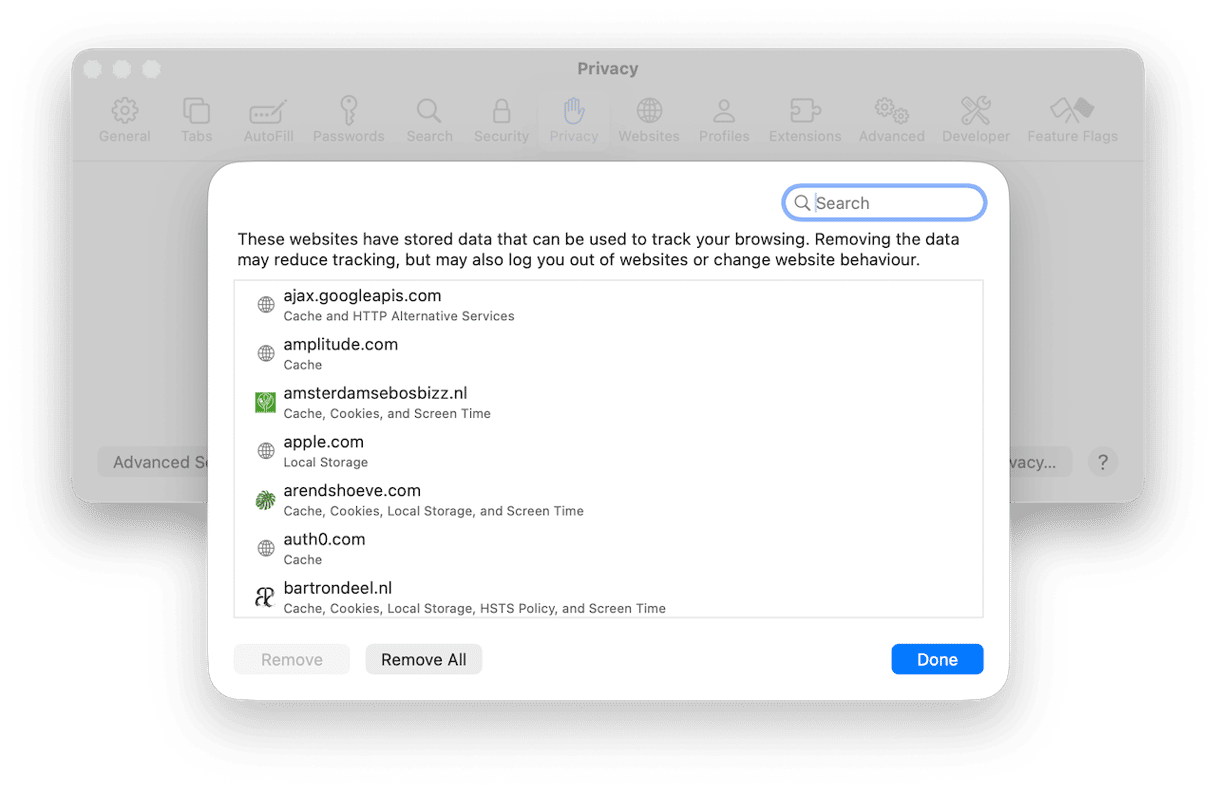
- In the main Safari menu > Settings > Privacy > Manage Website Data.
- Search for hulu.com, select it, and click Remove. Close the window.
- Quit Safari, reopen, sign in again.
Clear wider data if needed
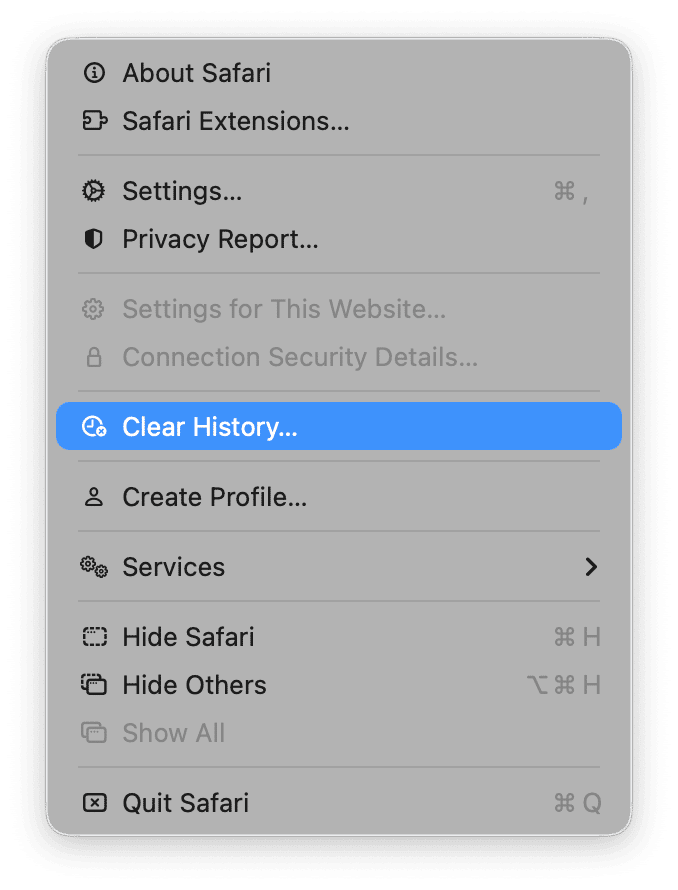
Safari menu > Clear History > choose all history > Clear History. This removes history, cookies, and site data. You will be signed out of sites.
2. Google Chrome on macOS
- Open up Chrome and from the menu bar select Chrome > Settings > Privacy and Security.
- Select Site Settings > See all site data and permissions.
- Use the search box for hulu.com, click the trash icon to remove its cookies and storage.
- Quit and reopen Chrome, sign in again.

Clear wider data if needed
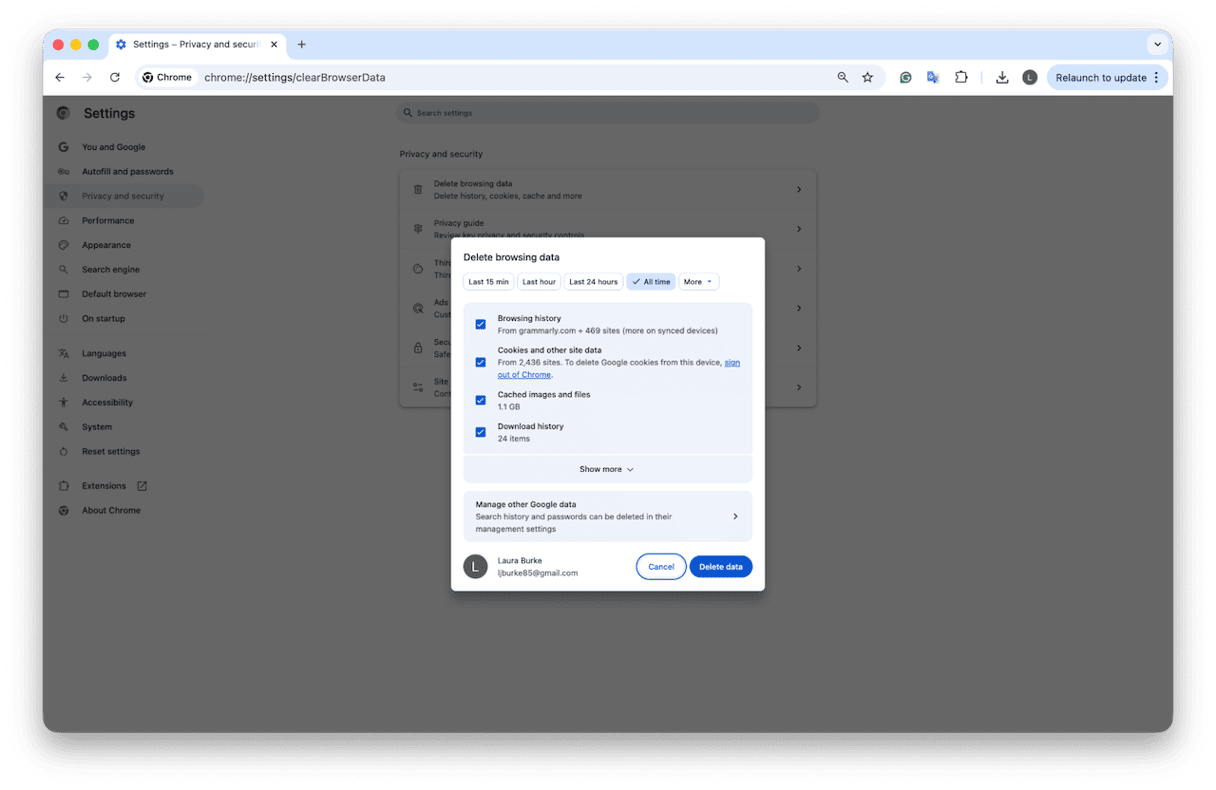
Chrome menu > Settings > Privacy and security > Delete browsing data > set Time range to All time, check Cookies and other site data and Cached images and files > Delete data.
3. Firefox on macOS
- Open Firefox.
- Click the padlock in the address bar on hulu.com > Clear cookies and site data.
- Or go to Preferences > Privacy & Security > Cookies and Site Data > Manage Data.
- Search hulu.com > Remove.
- Restart Firefox, sign in again.

Clear wider data if needed
Firefox Menu > Preferences > Privacy & Security > Clear Data and select Cookies and Site Data and Cached Web Content.
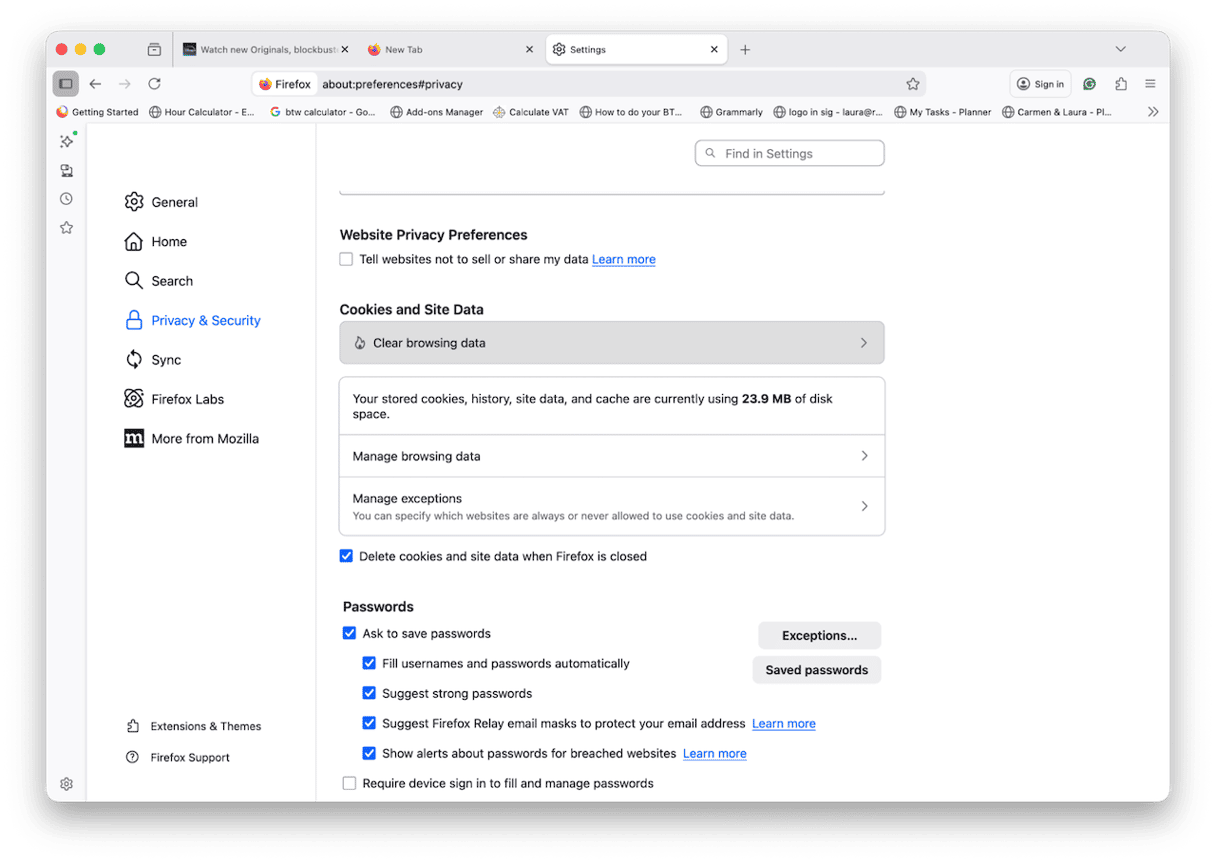
So, now you know how to clear the Hulu app cache. This should clear up all issues, and you should be able to get back to streaming your favourite show now.
Issues with cache are really easily avoided by making sure you keep on top of Mac maintenance. I regularly run the Cleanup feature from CleanMyMac to sweep general system junk, user and system cache, and other clutter that really doesn’t need to be hanging around, weighing down my Mac; here's how:
- Get your free CleanMyMac trial — you can test it for 7 days.
- Open and click Cleanup > Scan.
- Click Review All Junk, and select items you want to get rid of. Alternatively, click Clean to remove preselected items (only safe-to-delete files are detected).
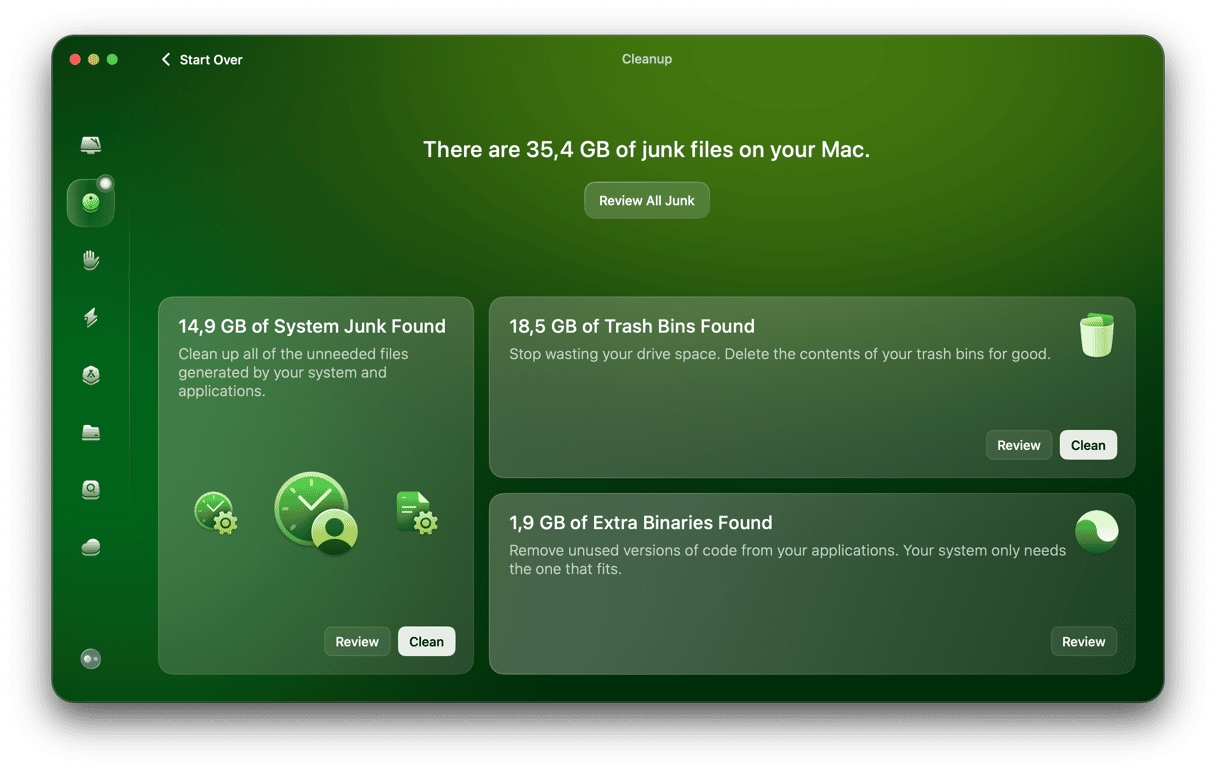
It’s an Apple-notarized macOS maintenance tool and just another really easy way to trim old cache files across your system.
Issues with Hulu after clearing cache
I saw quite a lot of threads online about people still running into issues after clearing cache. If you’re experiencing any of these issues, cache, it’s not the problem.
- Too many streams error messages on the same account. Hulu’s default is two at once unless you have the Unlimited Screens add-on.
- Home network rules for Live TV. If you’re away from your set Home network or you’ve changed it too often this year, some channels will refuse to play.
- Browser or DRM requirements. Out-of-date builds or disabled DRM can block playback.
- Account or billing holds. If a payment fails, the subscription can be placed on hold, and playback will stop until billing is fixed.
- Speed or service issues. If your connection is too slow or Hulu is having a service problem, clearing the cache won’t help. Start with a speed check and Hulu’s on-site troubleshooting.
If you land in any of those buckets, jump straight to Hulu’s help center or contact page for the right branch instead of re-clearing cache.
So, we’ve covered all the tips on how to clear Hulu cache.
FAQs: How to clear Hulu cache on Mac?
Will clearing Hulu cache sign me out?
Yes, that's probably the only downside. Clearing site data signs you out in that particular browser, but it won’t touch other browsers or devices where you’re also logged in.
Do I need to clear the cache if I stream Hulu inside Disney+?
If you are watching Hulu content inside Disney+, you can literally follow these exact steps, but just switch out Hulu for Disney in all your cache searches, to see if that works.
Does clearing Hulu cache delete my watch history or profiles?
No. That stuff lives on Hulu’s servers. Clearing site data only resets the browser’s local info on this Mac.
Does an ad blocker cause issues that look like cache problems?
Sometimes. Heavy blocking can interfere with the player or sign-in flow, which feels like bad cache even though it isn’t.