Knowing how to turn off read receipts on MacBook can definitely come in handy if you need some breathing room before replying. Sometimes you’ve read a message, but you’re in the middle of work, dealing with the kids, or just not ready to answer yet, and that tiny “Read” label adds a kind of pressure you could do without.
There’s still a ton of users out there that think read receipts are an iPhone-only issue, but you can manage them on your Mac, and I’ve got the quick sixty-second solutions right here for both system-wide read receipts and only for specific contacts.
Turn off read receipts on MacBook
For all conversations
So, if you just want to turn off all read receipts for every single conversation, these are the only steps you need. I think, honestly, this is the best option if you want a blanket setting and don’t want to think about it contact by contact. It also keeps things simple if you use Messages during work hours and do not want every opened message to feel like an immediate reply deadline.
- Open up your Messages app.
- You need to now select the main Messages menu > Settings iMessages.
- Make sure you have unchecked Send Read Receipts.
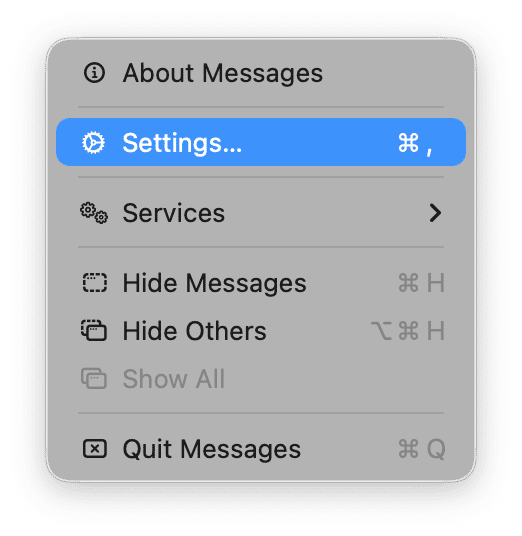
Super quick, and if you decide you want them back on at any point, then literally just go back in and check Send Read Receipts. That’s it.
For one person only
There’s no judgment here; whatever your reason, here’s how to turn off read receipts for a specific contact. This is going to be useful if you want to keep read receipts on for close friends or family, but switch them off for one conversation where you’d rather have a bit more space. It’s also a good middle ground if you don’t want to change your Messages settings for everyone.
But good to know, this is only going to work for iMessage contacts; if you need a reminder, those are the blue bubble conversations; it won’t work for standard SMS or green bubble threads.
- In your Messages app, open a conversation.
- Press on the contact name at the top.
- Turn off Send Read Receipts.
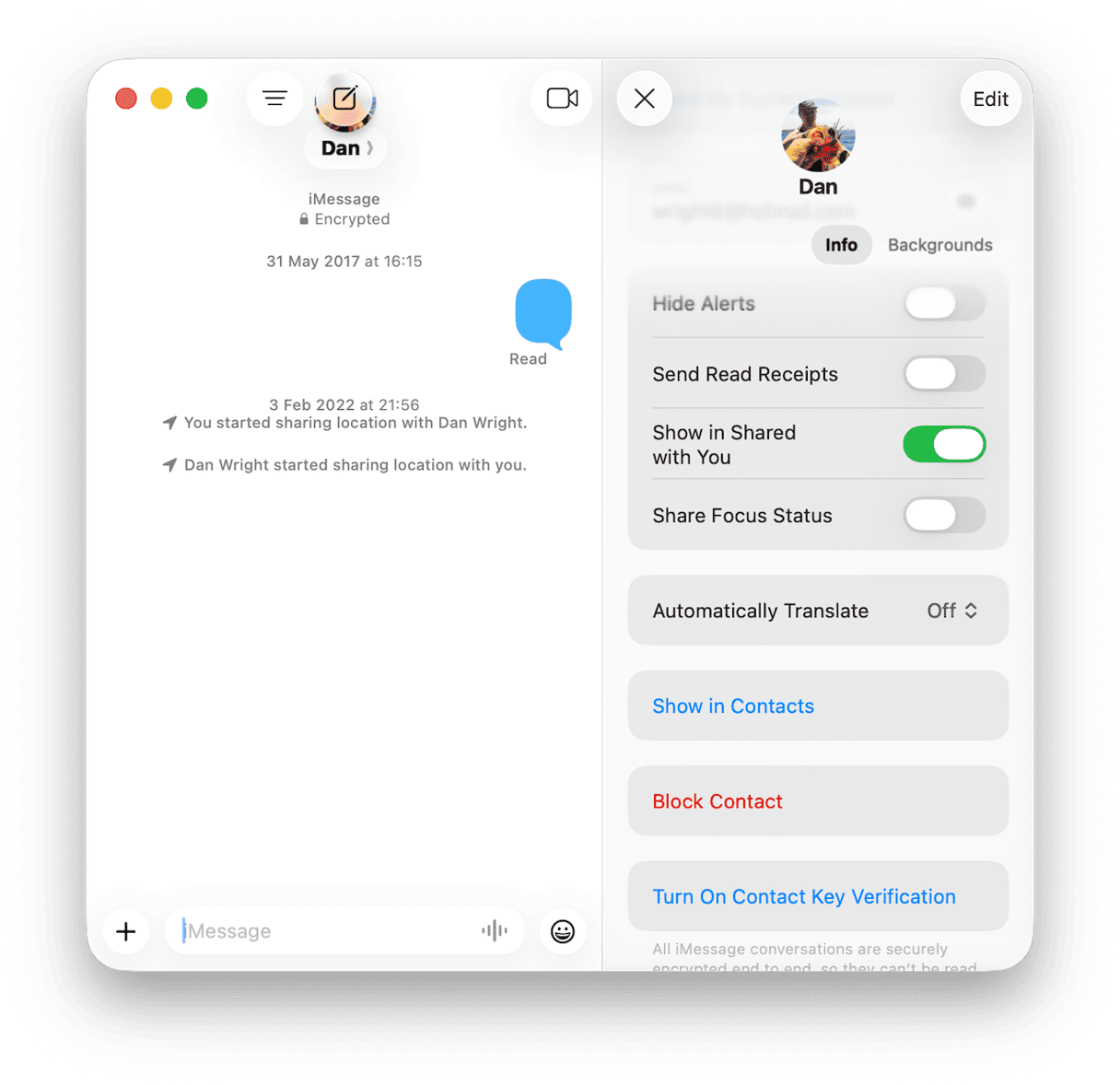
Again, if you change your mind, you can turn them back on at any time, but toggle back on Send Read Receipts.
Knowing how to turn off read receipts on MacBook gives you a little more control over your privacy, because let’s face it, sometimes you just need a moment before you reply.
What I’ve found over the years is that privacy and performance do seem to go hand in hand on a MacBook, and if you’re interested in what others can see, then you’re probably curious about what apps are running in the background, too, collecting data or using resources.
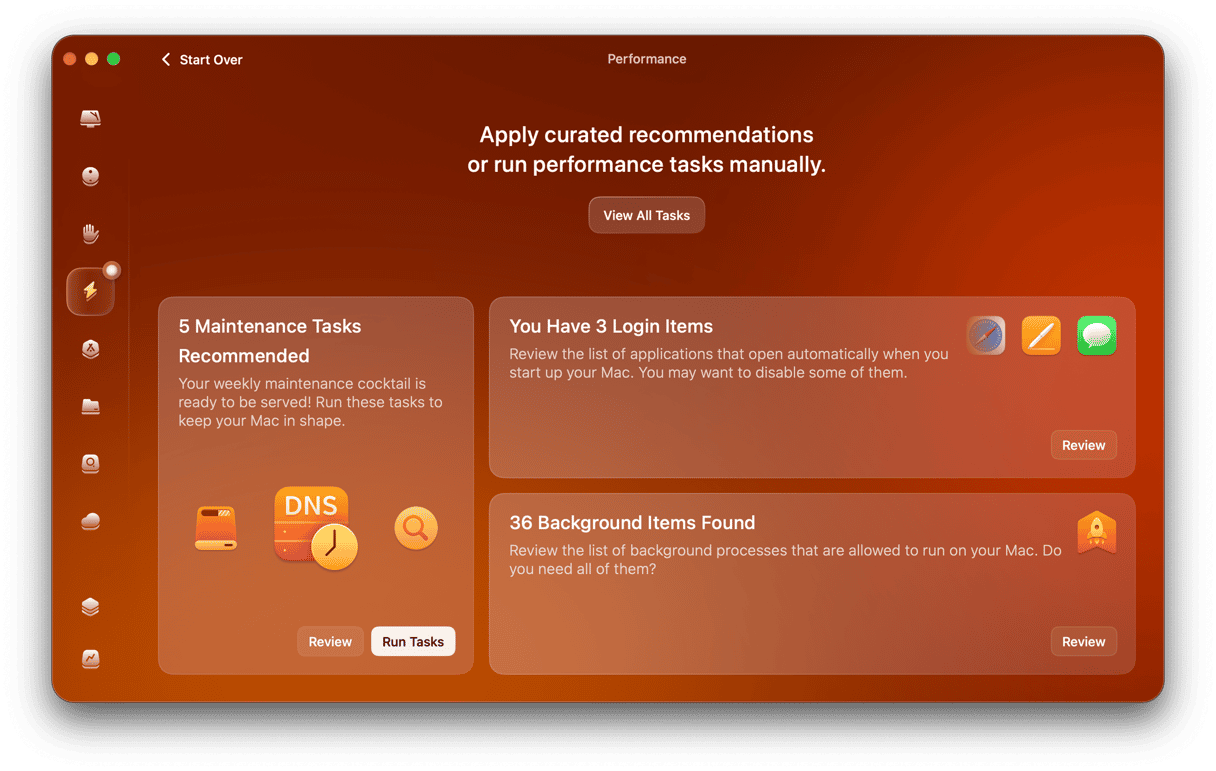
I’m a big fan of the Performance feature from CleanMyMac because it does just that: gives me a total overview and a quick way to close down apps that simply don’t need to be open. You can test the tool for 7 days — get your free trial here.
I’ve started to think of this as part of privacy maintenance: for me, it’s not just about read receipts; it’s more about knowing what’s running in real time, so I can have more control. If you’re interested in more Mac performance tips, this guide on how to speed up your Mac is a useful next read.
Well, that’s it, like I said, under sixty-second instructions for how to turn off read receipts on MacBook Messages. It’s a tiny tweak that can make messaging feel a lot less pressured. I’m really glad Apple introduced the option to adjust system-wide or per contact, because privacy settings are rarely one-size-fits-all. I also like that this isn’t a permanent decision. You can turn read receipts back on whenever you want, or keep them enabled for some conversations and switched off for others.
Frequently asked questions
So before we finish up, I’ve answered a couple of questions here that I saw repeated time and time again on the forums.
Does turning it off on Mac also affect iPhone?
This is a really good question; lots of people don’t realize that it’s controlled per device, so you’ll need to turn them off separately on iPhone.
Can the other person tell I turned it off?
I think a lot of people worry about this one, but you shouldn’t because there’s no way to tell; they’ll just stop seeing “read” under your messages.
Does it work with SMS (green bubbles)?
No, read receipts only apply to iMessage, not green-bubble SMS texts.